Key Takeaways:
- Epic Compass Rose assists in coordinating patient program efforts using risk scores, care plans, tasks, outreach, referrals, and follow-ups.
- Healthy Planet is for identifying those patients that require any care, whereas Compass Rose helps in managing the efforts thereafter.
- Compass Rose is helpful for managing SDOH, chronic disease management, care transition, referral, and high-risk patient management through a single process of care coordination.
- Hospitals can customize Compass Rose by utilizing analytics, FHIR/API integration, automation, and AI functionalities in the platform. The cost of customizations is usually between $70,000 and $300,000, not inclusive of Epic licensing costs.
- Integration of Epic Compass Rose by Intellivon: Integrations, analytics, and AI for Epic from Intellivon without touching Epic itself.
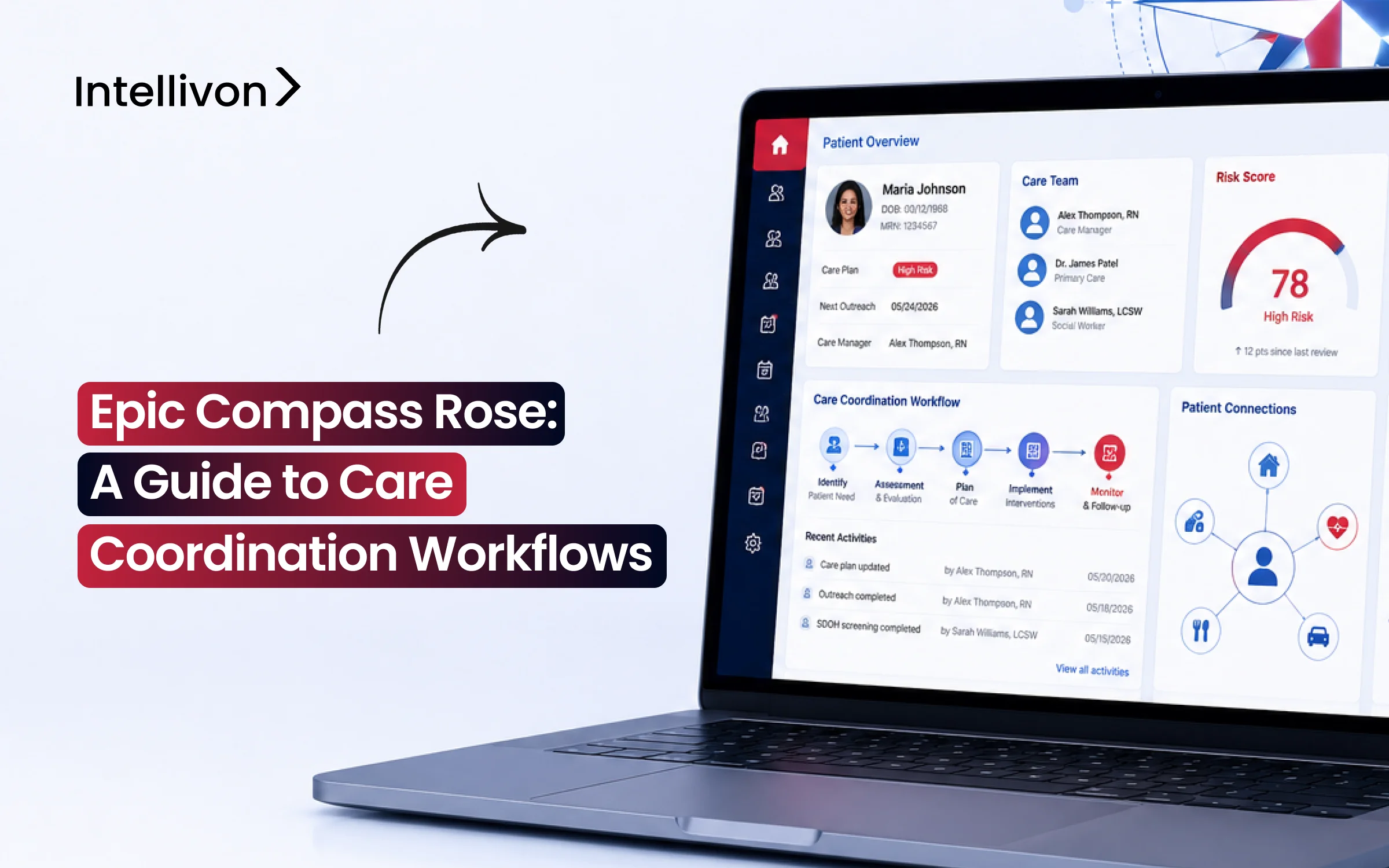
Changing patient panels every day and no way for healthcare providers to catch up, Epic’s Compass Rose works in such conditions. This module is referred to as the Epic Care Coordination Module, wherein the panels, risk scores, care plans, and outreach activities are consolidated onto one single screen instead of using the plethora of different modules previously used for these purposes.
Activation alone does not necessarily guarantee a seamless process of triaging, and without a proper risk stratification workflow configured for the patient panel, the high-risk patients might find themselves waiting with the low-risk individuals. After setting the correct workflow, however, the benefits would be reflected in patient outcomes as well. For instance, according to the systematic review conducted in 2025, interventions done by nurses in transitional care helped reduce the chances of being readmitted to hospitals by 33%.
As it turns out, the deciding factor between successful activation of this module and its unsuccessful execution lies mostly in configuring the panels and outreach campaigns properly rather than having the licence itself. Hence, this blog talks about the features offered by the Compass Rose, care coordination workflows, and the right approach towards rolling it out successfully.

What Epic Compass Rose Is and Where It Fits Inside Epic
Epic Compass Rose is Epic’s main tool for organizing daily patient support outside standard hospital visits. According to Epic’s official system guides, this module manages care programs for long-term illness, hospital discharge follow-ups, mental health, and social needs.
Consequently, it gives care teams one central place to track high-risk patients and guide their recovery.
1. What Epic Compass Rose Actually Does
First, Compass Rose acts as an interactive to-do list for patient navigators. Therefore, it keeps medical teams focused on essential daily tasks:
- Patient tracking: Follows sick individuals across months of recovery.
- Smart worklists: Assigns daily calls and check-ins to nurses automatically.
- Direct outreach: Sends follow-up reminders through text, portal messages, or phone.
- Progress monitoring: Tracks whether a patient’s health improves after leaving the hospital.
2. How Compass Rose Relates to Healthy Planet
Next, it is important to separate population data from actual daily tasks. While Healthy Planet finds which patients are falling behind, Compass Rose helps staff take immediate action:
- Healthy Planet: Scans massive databases, calculates risk scores, and flags overdue tests.
- Compass Rose: Takes those flagged names and builds daily step-by-step action plans.
3. How Social Care Fits Into Compass Rose
Furthermore, staying healthy involves more than just medicine. Because of this, Compass Rose connects everyday life challenges directly to medical charts:
- Barrier screening: Records issues like lack of healthy food, poor housing, or missing rides.
- Resource matching: Connects patients directly to local food banks and charity programs.
- Referral tracking: Confirms whether the patient actually received community help.
4. What Compass Rose Does Not Replace
Finally, healthcare leaders must know what this tool cannot do alone. Specifically, it organizes staff workflows rather than acting as a total system replacement:
- Not a primary EHR: It does not replace basic bedside medical charting tools like Epic Clindoc.
- Not a data warehouse: It coordinates daily steps instead of storing massive raw historical files.
- Not human judgment: It guides task schedules, but human nurses make all medical choices.
Ultimately, Epic Compass Rose organizes longitudinal action inside the Epic ecosystem rather than replacing other core features. As a result, it bridges the gap between big-picture health data and daily patient support.
Why Care Coordination Workflows Matter in Value-Based Care
Care coordination becomes financially strategic when healthcare organizations take direct responsibility for patient outcomes, quality scores, and total spending. Because of this shift, the global care coordination software sector is expanding rapidly at a 24.5% CAGR to hit $17.19 billion.

According to official CMS accountable care participation data, over 14.3 million Medicare beneficiaries now receive coordinated care through value-based models. Therefore, organizing daily follow-ups directly protects hospital revenue.
1. Care Management Has Moved Beyond Documentation
First, care management is no longer just about taking notes in a patient chart. Instead, modern clinical teams must actively drive measurable health improvements:
- Active intervention: Staff must close gaps rather than simply logging phone calls.
- Smart tracking: Teams use telemedicine app development services to stay connected between office visits.
- Clear goals: Daily workflows focus on real milestones like lowering blood pressure.
2. Population Health Insight Must Trigger Operational Action
Next, data dashboards are useless if clinical teams do not act on them immediately. Because speed matters, successful health systems follow a strict five-step operational loop:
- Risk signal: Software scans patient records to find rising health risks.
- Patient identification: The system automatically flags the individual for nurse review.
- Targeted intervention: Navigators launch immediate outreach using tools like mental health apps trends 2026 to support complex needs.
- Structured follow-up: Staff monitor recovery through automated reminders and check-in calls.
- Outcome verification: Clinicians confirm the patient avoided the emergency room.
3. Shared Savings Increase the Cost of Missed Coordination
Finally, failing to manage patient recovery creates massive financial penalties under value-based care contracts. As reported in the latest Medicare Shared Savings Program performance results, 511 participating ACOs earned over $4.1 billion in shared savings:
- Avoidable emergency visits: Missed check-ins cause unnecessary hospital admissions.
- Unresolved social needs: Missing transportation barriers directly cause missed doctor appointments.
- Lost bonus payments: Unclosed care gaps quickly erase shared savings bonuses.
Once care coordination becomes essential operational infrastructure, the next question is how Epic Compass Rose actually organizes that daily work across clinical teams.
How Epic Compass Rose Care Coordination Workflows Actually Work
Epic Compass Rose standardizes patient support by converting complex medical data into sequential daily tasks. Because managing vulnerable populations requires structure, the system runs an automated eight-step operational cycle.
As a result, healthcare teams can systematically identify individuals, coordinate interventions, assign outreach responsibilities, and monitor outcomes from a single interface.
Step 1 — Identify the Patient
First, the system scans multiple health feeds to find patients who need extra recovery support. Consequently, coordinators never have to manually search through massive databases:
- Trigger events: Identifies hospital discharges, emergency room visits, or new chronic diagnoses.
- Population rosters: Automatically pulls attributed names from disease registries and payer lists.
- Direct referrals: Accepts inbound flags directly from primary doctors and bedside clinicians.
Step 2 — Determine Program Eligibility
Next, the engine checks whether the patient qualifies for specific support tracks. Because resources are limited, this rule-based screening ensures staff focus on the right candidates:
- Inclusion criteria: Evaluates risk scores, high utilization history, and specific disease combinations.
- Exclusion logic: Filters out individuals already enrolled in hospice or conflicting specialty programs.
Step 3 — Enroll the Patient Into a Compass Rose Program
Furthermore, qualified individuals are formally onboarded into active tracking tracks. Therefore, the system creates a dedicated care episode:
- Automated enrollment: The system triggers immediately open episodes for urgent discharge follow-ups.
- Manual enrollment: Case managers can review complex charts and enroll patients with one click.
Step 4 — Assign the Patient to a Care Team
After enrollment, the platform routes the patient to dedicated clinical staff. As a result, accountability remains clear across multiple specialties:
- Role distribution: Assigns primary duties to nurse navigators, social workers, or pharmacists.
- Panel balancing: Distributes cases evenly based on current staff capacity and caseloads.
Step 5 — Create the Longitudinal Care Plan
Subsequently, the assigned team establishes a personalized, long-term health roadmap. Because clear goals drive recovery, staff define specific recovery milestones:
- Problem list: Outlines active medical barriers, mental health needs, and medication challenges.
- Measurable goals: Sets target metrics like maintaining safe blood sugar levels.
Step 6 — Generate Tasks and Outreach
Then, the platform converts the care plan into daily to-do items. Consequently, staff receive prioritized daily worklists with clear timelines:
- Automated routing: Generates call reminders, medication reviews, and portal messages.
- Escalation alerts: Flags overdue tasks automatically to prevent patient drop-off.
Step 7 — Complete Interventions and Referrals
Next, care teams execute clinical check-ins and address social needs. Therefore, navigators can resolve non-medical barriers quickly:
- Clinical actions: Staff adjust medications and review vital signs submitted via remote monitoring.
- Closed-loop social care: Coordinates food pantry access, ride services, and housing support.
Step 8 — Measure Outcomes and Close the Program
Finally, teams evaluate patient progress against established goals. As a result, programs conclude with documented clinical results:
- Discharge milestones: Confirms clinical stability, closed care gaps, and resolved social barriers.
- Graduation or transition: Successfully closes the episode or transfers the patient to lower-intensity management.
Ultimately, Epic Compass Rose operates as a repeatable workflow engine rather than a static medical record. Because each phase feeds directly into the next, health systems achieve consistent, measurable population health results.
Epic Compass Rose Features and the Care Problems They Solve
Epic Compass Rose features create measurable value only when each technical capability directly solves an everyday care-management bottleneck. For healthcare executives, implementing this module transforms fragmented communications into structured operational pathways.
Consequently, clinical teams spend less time searching charts and more time guiding high-risk patients toward recovery.
Epic Compass Rose Features Table
| Compass Rose Capability | Operational Problem | Provider Benefit |
| Patient panels | Fragmented patient lists | Prioritized caseload |
| Program enrollment | Unstructured case management | Standardized workflows |
| Risk tiers | Equal attention across all patients | Resource prioritization |
| Care plans | Disconnected interventions | Shared longitudinal goals |
| Tasks/worklists | Unclear ownership | Defined accountability |
| Outreach tracking | Lost follow-ups | Structured engagement |
| Referral tracking | Open-loop handoffs | Better follow-through |
| SDOH workflows | Social needs outside clinical care | Whole-person coordination |
| Analytics | Limited program visibility | Measurable outcomes |
Native Features Still Require Local Configuration
First, native software capabilities provide only the basic building blocks for clinical care. Because every health network operates differently, organizations must customize several core operational settings:
- Care programs: Teams must define custom inclusion and graduation criteria for specific chronic conditions.
- Clinical roles: Systems require exact task routing rules to separate nurse duties from social worker outreach.
- Risk formulas: Organizations must adjust risk score thresholds to match local patient demographics.
- Performance reporting: Analysts must configure custom dashboards to track ACO quality metrics and state benchmarks.
Ultimately, the software feature is only the starting point, and proper configuration determines real operational value. Because workflows depend on clear accountability, tailoring these settings ensures staff work efficiently across complex populations.
How Compass Rose Manages Referrals Across the Care Continuum
Epic Compass Rose manages clinical referrals by transforming one-off consultation orders into continuously tracked, longitudinal milestones. Because uncompleted consultations cause disease complications and hospital readmissions, this module actively monitors patient handoffs across primary care, specialty clinics, and home health providers.
As a result, care teams maintain total visibility until the specialist visit concludes and treatment plans synchronize.
1. Route Clinical Referrals to the Appropriate Service
First, the system directs patient referral orders to the right internal or external clinical specialties:
- Specialty care: Routes complex cases directly to cardiology, oncology, or rehabilitation.
- Support services: Directs patients to behavioral health specialists, clinical pharmacists, or home health nurses.
Track Referral Status After the Order Is Placed
Next, the platform monitors every referral through automated status updates:
- Sent and accepted: Confirms the receiving clinic accepted the intake order.
- Scheduled and completed: Records appointment dates and verifies consultation completion.
- Declined or unsuccessful: Alerts navigators immediately if an appointment falls through.
2. Connect Referrals With the Patient Care Plan
Furthermore, referrals tie directly into the patient’s overarching recovery goals rather than acting as isolated transactions:
- Clinical interventions: Links specialist visits directly to specific chronic disease goals.
- Task ownership: Assigns clear accountability and due dates to specific care managers.
3. Escalate Delayed or Incomplete Referrals
Additionally, automated rules alert staff whenever a critical referral encounters an operational barrier:
- Scheduling delays: Flags orders that remain unscheduled past defined clinical timeframes.
- Access barriers: Notifies navigators of missing insurance pre-authorizations or unavailable provider slots.
4. Close the Referral Loop
Finally, the platform ensures consultation notes return directly to the primary care chart:
- Bi-directional data: Shares specialist documentation across the entire care team.
- Outcome verification: Confirms treatment adjustments occur before closing the referral loop.
Clinical referrals solve only one part of care coordination, however, because many high-risk populations also require social services. As a result, modern health systems must connect these clinical workflows directly to broader community support networks.
How Compass Rose Supports SDOH and Community Coordination
Epic Compass Rose integrates social determinants of health (SDOH) directly into primary patient care plans to treat non-medical factors that impact health. Because non-clinical barriers cause up to 80% of preventable health complications, this platform captures daily social needs alongside medical history.
Consequently, healthcare organizations can systematically screen individuals, initiate verified community referrals, and bridge the gap between hospital clinics and local social programs.
1. Capture Social Drivers Alongside Clinical Needs
First, the system records structured social assessments during routine doctor visits and telephone check-ins:
- Basic living essentials: Assesses chronic food insecurity, unsafe utility access, and immediate financial distress.
- Environmental safety: Identifies severe housing instability, lack of reliable transportation, and dangerous social isolation.
2. Turn Positive Screens Into Care Management Tasks
Next, the engine immediately converts documented social needs into actionable clinical assignments:
- Automated routing: Generates structured tasks for designated case managers and social workers.
- Actionable sequence: Moves systematically from screening identification to program enrollment and direct outreach.
3. Connect Patients With Community Resources
Furthermore, clinical teams link vulnerable individuals directly to local charity programs and government support:
- Resource directories: Searches verified community resource databases directly within the patient chart.
- Navigator alignment: Empowers community health workers to match families with active food pantries and shelter programs.
4. Track Closed-Loop Community Referrals
Additionally, the platform monitors whether outside social organizations actually deliver the requested assistance:
- Status verification: Confirms service intake acknowledgment and tracks appointment attendance.
- Outcome confirmation: Flags uncompleted social referrals automatically so staff can re-engage the patient.
5. Coordinate With Organizations Outside the Health System
Finally, secure portals connect external social agencies directly to the medical system:
- Partner access: Uses Healthy Planet Link to grant governed web-based portal access to outside charities.
- Shared records: Enables non-clinical partners to view vital signs, lab results, and shared care plans securely.
Connecting clinical operations to outside social support protects patients from falling through the cracks after discharge. As a result, health systems must next understand the specialized care team roles required to manage these daily programs.
Top Epic Compass Rose Use Cases Across Care Programs
Epic Compass Rose supports diverse clinical service lines by converting disease-specific protocols into standardized operational workflows.
According to Epic’s published program definitions, this single module manages specialized coordination tracks across chronic illness, complex pediatrics, behavioral health, and maternal care.
Consequently, health systems can deploy distinct clinical pathways without requiring disconnected third-party software tools.
Program-Specific Care Coordination Workflows
| Program | Example Compass Rose Workflow |
| Complex care | High-risk patient coordination and intensive case management |
| Chronic care | Longitudinal condition tracking for multimorbid patients |
| Diabetes | Target goal tracking, nurse outreach, and glucose monitoring |
| Specialty pharmacy | Medication access coordination, prior authorization, and refill follow-ups |
| Behavioral health | Multidisciplinary therapy coordination and substance-use tracking |
| Maternal care | Longitudinal prenatal milestones and postpartum follow-up workflows |
| Palliative care | Goal-concordant care coordination and advanced care planning |
| RPM | Vital sign escalation, remote alert triage, and clinical follow-up |
| Social work | Housing, food insecurity, and community resource interventions |
| High utilization | Emergency department diversion and hospital readmission prevention |
| Value-based care | HEDIS care gap closure and attributed population management |
Deploying these tailored care tracks across diverse service lines ensures health systems actively manage vulnerable patient populations. As a result, clinical leaders can eliminate departmental silos and deliver consistent, measurable care coordination across the entire enterprise.
How Health Systems Are Using Epic Compass Rose in Practice
Real-world health system implementations demonstrate that Epic Compass Rose successfully standardizes patient coordination across complex clinical specialties.
However, published research shows that activating software features without careful workflow design does not guarantee immediate operational improvements.
Consequently, healthcare leaders must evaluate real operational evidence from early-adopting health systems before planning their own enterprise deployment.
1. UC Davis Health — Specialty Pharmacy
First, UC Davis Health conducted the first peer-reviewed implementation study of Compass Rose to replace legacy spreadsheets:
- Rigorous preparation: Planning began six months before launch to standardize documentation and migrate existing tracking data.
Folio3 Digital Health - Mixed findings: While transparency and operational tracking improved, researchers recorded no statistically significant gains in staff satisfaction or refill-documentation speed.
Folio3 Digital Health
2. Corewell Health — Longitudinal Disease Management
Next, large integrated delivery networks use the platform to coordinate long-term chronic illness interventions:
- Focused cohorts: Corewell Health built customized Compass Rose tools after defining specific patient populations and risk tiers.
- Targeted outreach: Clinical teams use structured worklists to prioritize high-risk patients needing active intervention.
3. CareOregon / Columbia Pacific CCO
Furthermore, regional payer networks use this module to bridge clinical operations with community care teams:
- Foundational documentation: CareOregon uses Compass Rose as the core operational platform for regional care coordinators.
- Ongoing optimization: State reports acknowledge continuous work is required to refine longitudinal data reporting and analytics availability.
4. UVA PATH — Pediatric Care Coordination
Finally, academic health centers deploy the module to manage vulnerable pediatric populations across care transitions:
- Real-time tracking: UVA’s PATH program uses Compass Rose to assign daily coordination tasks across clinic visits.
The University of Virginia - Care continuity: Navigators monitor children transitioning from inpatient hospital stays back to home care.
Real implementations repeatedly prove that workflow design, staff training, and role clarity matter just as much as activating the software. As a result, healthcare leaders must next examine the underlying architectural layers that support these complex workflows.
How AI Can Extend Compass Rose Without Replacing Epic
Epic Compass Rose does not require a custom AI model to perform basic care coordination, as its native tools manage standard task assignment effectively. However, healthcare organizations operating under complex risk contracts frequently face clinical blind spots and operational bottlenecks.
As a result, adding targeted machine learning models extends standard Epic capabilities by predicting acute patient decline and automating routine staff documentation.
1. Predict Which Patients Need Intervention First
First, predictive machine learning models identify subtle health deterioration long before standard risk thresholds trigger an alert:
- Rising-risk detection: Identifies moderate-risk individuals who are quietly trending toward high emergency room utilization.
- Readmission modeling: Calculates 30-day readmission probabilities by analyzing subtle changes in outpatient vitals.
2. Prioritize Care Management Worklists
Next, intelligent prioritization algorithms dynamically organize daily task queues so nurses contact the most critical patients first:
- Dynamic ranking: Reorders daily call lists based on combined clinical urgency, recent lab results, and missed appointments.
- Resource balancing: Distributes high-acuity interventions evenly across available nurse navigators.
3. Summarize Complex Patient Context for Care Teams
Furthermore, generative language models process years of fragmented medical notes to generate instant clinical briefings:
- Longitudinal summaries: Condenses hundreds of medical encounters into a clear three-paragraph history for new case managers.
- Handoff preparation: Drafts structured shift-change summaries that highlight outstanding tasks and unaddressed care gaps.
4. Support Patient Outreach
Additionally, automated communication engines generate personalized engagement messages across multiple languages:
- Personalized drafting: Pre-populates tailored follow-up messages based on recent hospital discharge instructions.
- Language translation: Translates clinical care instructions into the patient’s preferred primary language.
5. Combine Epic and External Data for Advanced Analytics
Moreover, advanced analytics pipelines unite internal EHR records with external health data feeds:
- Multi-source feeds: Blends Epic records with pharmacy claims, remote patient monitoring streams, and regional SDOH databases.
- Unified modeling: Delivers accurate population risk forecasts by analyzing the complete health journey.
6. Keep Clinical Decisions Human-Governed
Finally, artificial intelligence must always function as a clinical assistant rather than an autonomous decision-maker:
- Decision support: AI models prioritize, recommend, summarize, and flag critical trends for human review.
- Zero autonomous management: Human clinicians retain total authority and must verify all AI-generated care plans.
For a deeper breakdown of predictive population-health systems, see our guide on AI Population Health Management Platforms.
Ultimately, integrating ethical AI models extends Compass Rose into an intelligent early-warning network without replacing your core Epic infrastructure. Because these integrations require precise technical design, organizations must carefully evaluate implementation costs and engineering requirements.
How We Implement Epic Compass Rose Across a Health System
Deploying Epic Compass Rose across a multi-hospital health system requires a structured implementation framework that aligns technical architecture with daily clinical workflows.
Because fragmented deployments create staff burnout and incomplete patient tracking, health systems must transition systematically from legacy processes to standardized digital care tracks.
As a result, healthcare leaders can establish reliable care management operations that improve patient outcomes and support value-based care contracts.
Step 1 — Map Current Care Coordination Workflows
First, organizations must conduct a comprehensive inventory of all active care coordination practices across hospital departments and outpatient clinics. Therefore, project teams evaluate existing operational tools and baseline performance metrics before touching system configurations:
- Legacy tools: Catalogs all decentralized spreadsheets, manual trackers, and third-party software tools currently used by care teams.
- Operational roles: Maps daily responsibilities, patient handoffs, and communication channels across nurse navigators, case managers, and social workers.
- Baseline KPIs: Documents current 30-day readmission rates, care gap closure percentages, and average days to complete specialist referrals.
Intellivon maps all clinical and data flows end-to-end before defining technical system requirements. This thorough operational baseline ensures software configurations directly solve real workflow bottlenecks rather than simply automating broken manual habits.
Step 2 — Define Programs and Enrollment Rules
Next, clinical leadership must establish precise operational criteria for every care management program deployed within the enterprise. Because vague guidelines overwhelm staff capacity, strict boundaries maintain program effectiveness:
- Inclusion criteria: Defines exact clinical thresholds, disease combinations, and utilization markers required for program qualification.
- Exclusion logic: Specifies patient conditions that require exclusion, such as active hospice enrollment or parallel specialty tracking.
- Lifecycle milestones: Establishes formal triggers for automated enrollment, program graduation, and planned re-enrollment pathways.
Intellivon develops structured program rule matrices that standardize enrollment protocols across diverse clinical departments. This approach ensures consistent patient onboarding across primary care, specialty clinics, and emergency departments.
Once program definitions are finalized, health systems must structure patient lists around actual clinical capacity.
Step 3 — Configure Patient Panels and Risk Logic
Furthermore, population health teams must calibrate patient attribution models to match available care management staffing levels. Therefore, risk algorithms must reflect operational reality:
- Capacity alignment: Balances active caseload sizes based on patient acuity scores and full-time equivalent (FTE) clinical staffing.
- Risk stratification: Customizes risk score cutoffs to segment populations into rising-risk, high-risk, and complex care tiers.
- Dynamic reassessment: Configures automated rules to update risk tiers continuously as new clinical lab results and encounter data arrive.
Intellivon calibrates risk-scoring models to balance clinical risk scoring with frontline staffing capacity. This prevents alert fatigue and ensures high-acuity patients receive immediate personal intervention.
Properly distributed patient panels then enable organizations to assign concrete operational tasks to specific team members.
Step 4 — Design Roles, Care Plans, and Task Routing
Subsequently, the build team must establish clear role-based permissions and standardize longitudinal care plan templates. Consequently, every clinician understands their exact daily responsibilities:
- Role boundaries: Distinguishes clinical tasks owned by registered nurses from non-clinical outreach handled by community health workers.
- Care plan templates: Builds standardized, goal-oriented care plans containing pre-configured interventions for chronic conditions.
- Task routing: Automates task generation so encounter triggers instantly route prioritized to-do items to the correct staff worklist.
Intellivon designs role-based task hierarchies that eliminate documentation overlap between multidisciplinary team members. This clarity allows clinical staff to focus on direct patient care rather than administrative coordination.
Clear internal task routing must then be linked directly to external referral networks.
Step 5 — Design Referral and Outreach Workflows
Additionally, care teams must establish reliable communication channels for patient outreach and external service handoffs. As a result, patients stay connected between clinic visits:
- Multi-channel outreach: Configures structured telephone scripts, automated SMS reminders, and secure patient portal messages.
- Clinical routing: Automates electronic referral transmissions to specialized medical practices and diagnostic centers.
- Social care coordination: Integrates community resource directories to route non-clinical needs to verified charity partners.
- Escalation rules: Triggers automated supervisor alerts whenever critical clinical referrals remain unscheduled beyond defined timelines.
Intellivon designs closed-loop referral and outreach protocols that automate patient communications across SMS, portal, and voice channels. This ensures vulnerable individuals complete critical medical follow-ups and access essential social services.
Managing these multi-channel workflows requires connecting the platform to diverse enterprise data sources.
Step 6 — Map Integrations and Data Sources
Moreover, technical architects must connect the care management platform to external databases and underlying clinical systems. Therefore, data flows seamlessly across the digital ecosystem:
- Internal EHR feeds: Connects Compass Rose directly to acute documentation modules, including Epic Clindoc and bedside monitors.
- Laboratory data: Bridges diagnostic feeds using Epic Beaker HL7 integration architectures to monitor disease markers.
- Payer claims: Ingests external claims files and pharmacy benefit data to uncover medical encounters outside the network.
- External APIs: Connects third-party community referral networks and remote patient monitoring platforms via standard FHIR APIs.
Intellivon engineers robust FHIR R4 and HL7 data pipelines that unify disparate EHR, laboratory, claims, and remote monitoring data. This provides care managers with a unified, real-time longitudinal patient record.
Once data pipelines are active, health systems must build monitoring dashboards before rolling out the software.
Step 7 — Configure Reporting Before Go-Live
Then, business intelligence teams must configure operational dashboards and executive reporting views prior to software activation. Consequently, leadership can track deployment success from day one:
- Operational worklists: Builds real-time supervisor views to track daily task completion rates and overdue patient encounters.
- Quality metrics: Configures automated tracking for HEDIS measures, CMS ACO benchmarks, and value-based contract requirements.
- Long-term analytics: Pre-builds custom reporting models in Caboodle and Clarity to track long-term hospital readmission trends.
Intellivon configures custom operational and executive dashboards in reporting workbench and analytics databases before launch. This gives enterprise leadership complete visibility into program adoption and clinical ROI from the first day of go-live.
Finally, the entire integrated environment must undergo rigorous end-to-end testing with realistic clinical scenarios.
Step 8 — Test With Real Care Management Scenarios
Finally, project teams must validate all system configurations using complex, real-world clinical and social care use cases. Therefore, staff can identify and resolve workflow friction before treating patients:
- User acceptance testing: Conducts scenario-based testing with frontline nurses, case managers, and social workers.
- Security audits: Validates role-based access controls and HIPAA compliance across all shared patient records.
- Failure testing: Tests edge cases, such as unread patient messages, declined specialty referrals, and missing lab results.
Intellivon executes rigorous scenario-based testing across multi-disciplinary teams using synthetic, compliant patient cohorts. This approach validates task routing, data security, and referral tracking before frontline staff ever touch a live patient record.
Executing a phased implementation ensures health systems operationalize Epic Compass Rose effectively without disrupting daily clinical care.
Because technical setup represents a significant enterprise investment, organizations must carefully evaluate the overall costs and financial returns associated with deployment.
How Much Epic Compass Rose Optimization and Integration Costs
Epic Compass Rose optimization, integration, analytics, and custom extension projects typically require $70,000 to $300,000, excluding Epic software licensing and unrelated EHR implementation costs.
Because health systems select different combinations of workstreams rather than funding every maximum tier simultaneously, budgets scale based on enterprise complexity and integration scope.
Project Cost Breakdown by Development Phase
| Project Phase | Estimated Range |
| Discovery and workflow assessment | $10,000–$25,000 |
| Architecture and security design | $10,000–$30,000 |
| Integration and workflow development | $20,000–$80,000 |
| Analytics and dashboards | $10,000–$45,000 |
| AI or automation extensions | $10,000–$60,000 |
| Validation, training, and go-live | $10,000–$60,000 |
| Typical project range | $70,000–$300,000 |
1. What Keeps a Project Near $70,000
First, smaller deployments remain cost-effective by targeting localized, standard clinical needs:
- Focused scope: Deploys a single care management track, such as post-discharge follow-up.
- Native tools: Uses out-of-the-box Epic configurations with minimal third-party API connections.
2. What Pushes a Project Toward $300,000
Next, complex enterprise rollouts require extensive engineering and multi-system data synchronization:
- Enterprise scale: Deploys multiple clinical programs across several regional hospital networks.
- Custom data pipelines: Integrates payer claims, third-party SDOH platforms, and custom predictive AI algorithms.
3. Ongoing Maintenance and Optimization
Furthermore, maintaining system stability requires an ongoing annual budget of 15% to 20% of the initial build cost:
- System health: Covers continuous API monitoring, regular Epic version upgrade validations, and security audits.
- Workflow adjustments: Tunes staff worklists and refines analytics dashboards based on updated ACO quality metrics.
Understanding clear pricing boundaries enables healthcare leaders to allocate resources strategically across their clinical programs. Because maximizing this investment requires measurable operational returns, organizations must systematically track key performance indicators.
How Intellivon Extends Epic Compass Rose Without Replacing Epic
Intellivon’s Epic strategy keeps Epic authoritative while custom software handles requirements that are better delivered outside the core EHR. Intellivon’s published Epic customization methodology explicitly describes custom software as operating alongside Epic through governed interfaces rather than modifying the core system. Consequently, health systems maintain data integrity while expanding advanced automation and predictive capabilities.
Keep Epic as the System of Record
First, custom software must never create a secondary, competing source of clinical truth:
- Unified charting: All primary diagnoses, encounter notes, and care plans stay anchored inside Epic.
- Single audit trail: Clinicians work from one verified longitudinal history without duplicate records.
Build Through Approved Integration Standards
Next, all external data flows connect via certified, secure communication standards:
- Certified APIs: Uses SMART on FHIR and FHIR R4 APIs to launch embedded tools inside Hyperspace.
- Secure middleware: Deploys compliant backend integrations that exchange data without disrupting base EHR performance.
Extend Analytics Beyond Native Reporting
Furthermore, custom data pipelines combine internal medical charts with external datasets:
- Cross-system dashboards: Merges Epic records with pharmacy claims and community social feeds.
- Executive intelligence: Delivers cross-departmental utilization trends for value-based leadership.
Add AI Only Where It Improves a Defined Workflow
Additionally, artificial intelligence is deployed exclusively to solve specific operational friction:
- Risk prioritization: Ranks daily care team worklists dynamically based on rising patient acuity.
- Smart summaries: Generates verified clinical briefings and multilingual patient outreach drafts.
Design Governance Alongside Development
Moreover, strict regulatory safeguards are built directly into every integration layer:
- Compliance standards: Enforces role-based access controls, complete audit logging, and full HIPAA compliance.
- Human oversight: Requires clinical staff to review and approve all automated recommendations.
Build for Epic Upgrades and Long-Term Operations
Finally, architectures are engineered to withstand biannual Epic version updates:
- Stable architectures: Avoids fragile custom point solutions that break during routine software upgrades.
- Continuous monitoring: Tracks API health and performance metrics to ensure uninterrupted operations.
Build a More Effective Epic Compass Rose Workflow
If your organization already uses Epic but care-management teams still depend on spreadsheets, disconnected referral systems, manual payer rosters, external dashboards, or repetitive outreach work, the next question is not whether Compass Rose needs replacing.
The useful question is which problems belong inside native Epic configuration and which require external integration, analytics, automation, or AI.
Intellivon works with healthcare organizations to map that boundary before development begins. This helps teams avoid unnecessary custom software while identifying the integrations and workflow extensions that create measurable operational value.
Discuss Your Compass Rose Workflow
Schedule a technical session with our healthcare integration architects to evaluate your Epic workflows, data pipelines, and custom automation boundaries.
Conclusion
Epic Compass Rose provides the operational foundation required to manage high-risk populations, close clinical care gaps, and succeed in value-based care contracts. However, technology alone cannot solve coordination bottlenecks without intentional workflow design, clear role definitions, and seamless external data integrations.
By aligning native Epic capabilities with targeted analytics and automation, healthcare leaders can eliminate administrative silos, empower frontline care teams, and protect enterprise shared savings.
FAQs
Q1. What Is Epic Compass Rose Used for?
A1. Epic Compass Rose is specifically used to manage long-term patient recovery programs outside routine hospital visits. Consequently, clinical teams use it to organize program enrollments, track longitudinal care plans, assign daily staff tasks, automate multi-channel patient outreach, coordinate specialist referrals, and measure overall clinical outcomes across complex patient panels.
Q2. Is Epic Compass Rose the Same as Healthy Planet?
A2. No, Epic Compass Rose is not the same as Healthy Planet. Specifically, Healthy Planet serves as the analytical foundation that builds disease registries, tracks quality metrics, and calculates patient risk scores. In contrast, Compass Rose provides the operational workflow engine that turns those population insights into daily staff interventions.
Q3. How Does Epic Compass Rose Support Care Coordination?
A3. Epic Compass Rose supports care coordination through a repeatable eight-step operational cycle. Therefore, the system automatically identifies rising-risk patients, evaluates program eligibility, creates enrollment episodes, assigns clinical care teams, generates personalized care plans, triggers daily outreach tasks, tracks closed-loop clinical or social referrals, and measures final recovery outcomes.
Q4. Does Epic Compass Rose Require AI?
A4. No, Epic Compass Rose does not require artificial intelligence to coordinate care. However, adding targeted machine learning models significantly improves efficiency. Organizations frequently use optional AI extensions for rising-risk patient prediction, dynamic worklist prioritization, automated clinical chart summarization, multi-source population analytics, and multilingual patient outreach drafting.
Q5. Can Compass Rose Connect With Non-Epic Systems?
A5. Yes, Compass Rose connects with external systems using standard healthcare integration frameworks. By utilizing FHIR R4 APIs, HL7 feeds, and secure integration middleware, the platform exchanges data with external payer databases, laboratory systems, remote patient monitoring devices, third-party software applications, and regional community resource networks without disrupting core records.
Q6. Can Compass Rose Manage SDOH Referrals?
A6. Yes, Compass Rose actively manages social determinants of health referrals within primary clinical workflows. The platform records structured screenings for food insecurity, transportation barriers, and housing instability. Subsequently, it matches identified needs to local resource directories, transmits referrals to community charities, and tracks status updates to ensure closed-loop completion.
Q7. Should We Customize Compass Rose or Build a Separate Platform?
A7. Organizations should configure native Compass Rose whenever daily clinical workflows live entirely within the Epic environment. Conversely, teams should build custom external extensions when operational requirements span multiple non-Epic systems, demand advanced predictive AI algorithms, or involve outside community partners and complex payer datasets requiring specialized analytics.