Key Takeaways:
- OpenEMR is free and open-source, but implementation, customization, hosting, integrations, training, and support create the real project cost.
- OpenEMR 8 is the recommended 2026 baseline as it holds the current ONC Ambulatory EHR certification.
- Nursing teams can manage encounters, vitals, notes, medications, allergies, labs, reminders, and patient communication within OpenEMR.
- Complex inpatient, eMAR, ADT, SNF, and institutional nursing workflows may require additional modules or custom development work.
- How Intellivon implements and customizes OpenEMR platforms for $70,000 to $300,000, depending on workflows, integrations, and automation requirements.
OpenEMR implementation for nurses works best when the system is configured around actual nursing workflows, rather than adapted to a generic template built for billing staff. That distinction matters because documentation is already consuming too much of a nurse’s shift. Nearly 40% of a nurse’s shift now goes to documentation instead of direct patient care, according to a 2025 Black Book Research survey, and 92% of nurses say their EHR has hurt their job satisfaction.
However, the fix lies in better workflow designs. Flowsheets, care plans, and medication administration records all need to match how nursing staff actually move through a shift, not how a developer assumes they do. Meanwhile, poor configuration is a major reason nurses fall back on paper charting or workarounds, even years after go-live. As a result, organizations that configure OpenEMR around real nursing workflows from the start see documentation time drop measurably within the first few months.
In this blog, we’ll walk through OpenEMR’s nursing features, workflow design across clinical settings, HIPAA compliance, and what a proper implementation actually costs.

What Is OpenEMR and How Does It Support Nursing Teams?
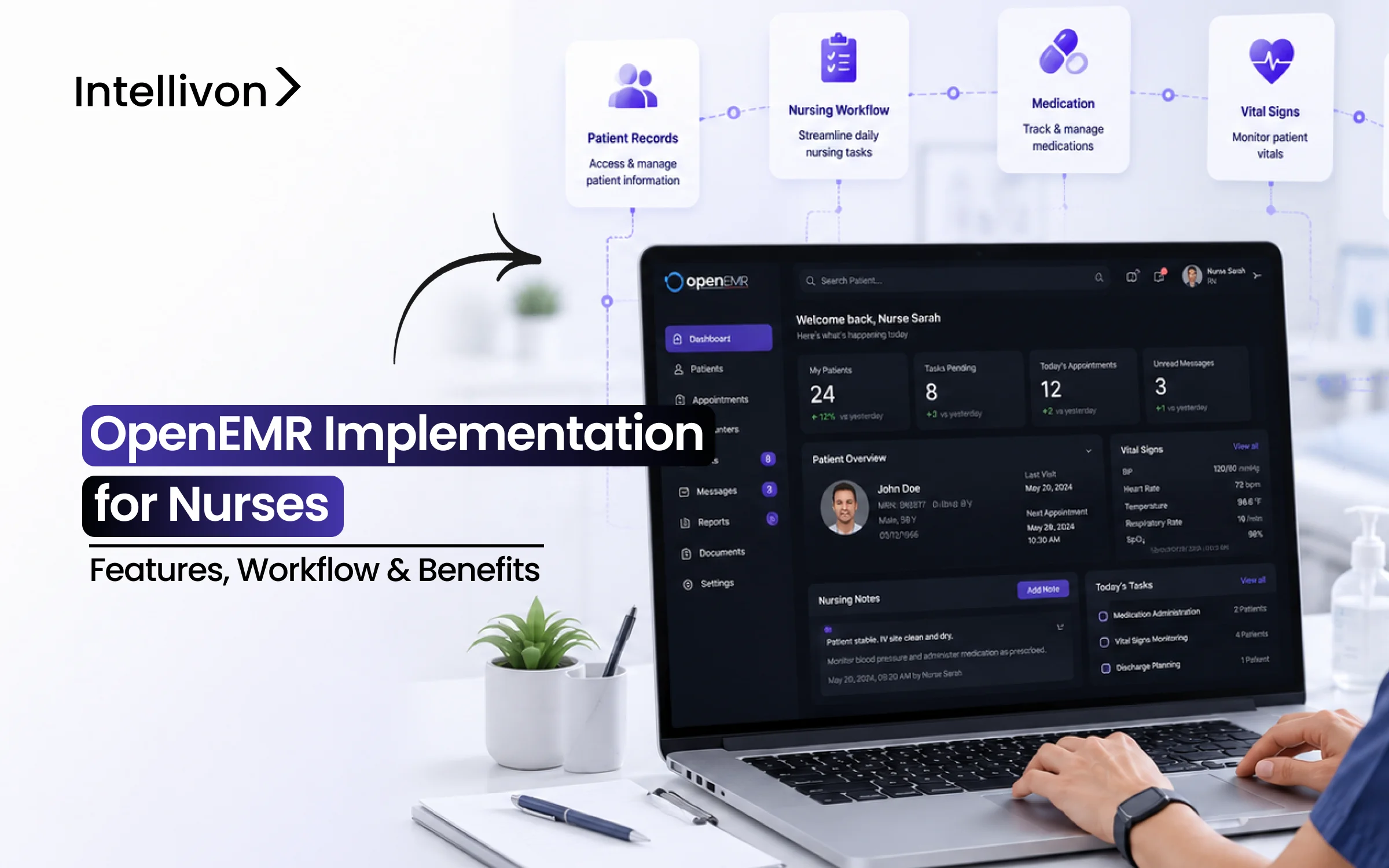
OpenEMR is an open-source electronic health record (EHR) and practice management system certified for ONC Ambulatory Care. It supports daily nursing tasks like taking vitals, reviewing labs, tracking immunizations, and writing shift notes.
However, while the software download is completely free, setting up an OpenEMR implementation for nurses requires careful planning. Therefore, successful deployment depends on customizing forms, setting up user roles, and connecting external tools.
Core OpenEMR Architecture for Clinical Nursing
To build a reliable system, technical teams rely on a simple four-part structure:
- OpenEMR Core: Manages basic patient charts, encounter notes, and standard security settings.
- System Configuration: Controls nurse permissions, custom forms, and automated safety alerts.
- Extensions: Adds custom tools for special care, such as wound tracking or IV therapy.
- External Integrations: Connects OpenEMR directly to pharmacy systems, labs, and bedside devices.
Consequently, clinical teams can choose between local servers or secure cloud hosting. OpenEMR provides a strong starting point for care teams. Nevertheless, nursing efficiency depends entirely on how well you build custom forms, dashboards, and integrations.
Why Healthcare Organizations Adopt OpenEMR for Nurses
Healthcare organizations choose OpenEMR primarily for total architecture control rather than standard commercial licensing restrictions. By eliminating proprietary vendor lock-in, technical teams can adapt the platform directly to clinical needs.
Furthermore, an OpenEMR implementation for nurses enables clinical leaders to build custom nursing documentation workflows without paying per-user seat fees or waiting on vendor roadmaps.
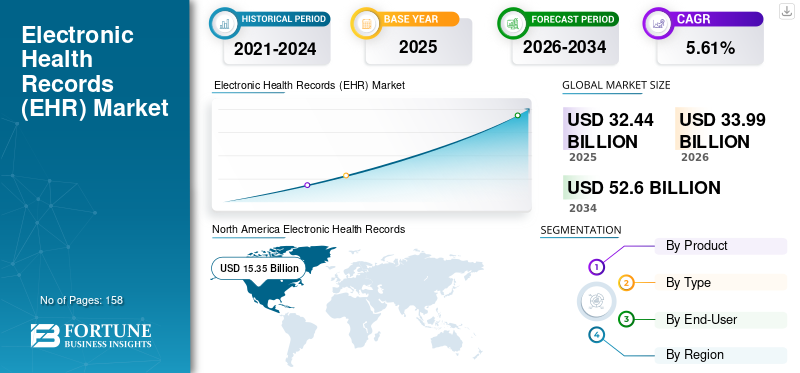
Therefore, specialized health systems increasingly leverage open-source solutions to maintain strict budget control while simultaneously expanding complex clinical features.
Core Adoption Drivers and Target Organizations
Health centers adopt OpenEMR because it provides full source-code access, complete deployment control, and standards-based interoperability.
- Community Health Centers & FQHCs: Streamline high-volume patient intake, sliding-scale billing, and preventive care tracking.
- Rural Health Clinics & Independent Practices: Maintain low overhead costs while customizing primary care flowsheets.
- Behavioral & Home-Health Organizations: Tailor specialty-specific documentation, remote patient notes, and long-term care plans.
As a result, groups with internal technical capabilities benefit most from tailoring clinical forms. Ultimately, health systems adopt OpenEMR for operational freedom, complete data ownership, and workflow agility rather than simple software savings.
However, realizing this total value depends on knowing which nursing requirements OpenEMR already supports and which ones still need custom engineering.
Which OpenEMR Nursing Features Work Natively vs Custom?
OpenEMR supports core clinical nursing tasks natively, but complex hospital workflows require additional configuration or custom software development.
Out of the box, the platform easily handles vital signs, allergy records, and standard SOAP notes. However, advanced clinical needs like electronic medication administration records (eMAR) and wearable integrations require custom engineering.
Consequently, recognizing native features versus custom additions prevents unexpected project delays.
OpenEMR vs Custom Nursing Features
| Nursing Workflow | OpenEMR Core | Configuration Needed | Extension/Integration |
| Patient Intake | Yes | Forms/Roles | Sometimes |
| Nursing Assessments | Partial | Usually | Specialty Dependent |
| Vital Signs | Yes | Workflow Setup | Device Feed Optional |
| Nursing Notes | Yes | Templates Recommended | No |
| SOAP Documentation | Yes | Template Setup | No |
| Problem Lists | Yes | Workflow Rules | No |
| Medication Lists | Yes | Role/Workflow Setup | Pharmacy Integration |
| Allergy Documentation | Yes | Minimal | No |
| Medication Reconciliation | Supported | Configuration | External Pharmacy Data |
| eMAR | No | Significant | Custom Institutional Module |
| Orders & CPOE | Supported | Workflow Dependent | Institutional Needs Vary |
| Lab & Imaging Review | Yes | Configuration | LIS/RIS/PACS Integration |
| Care Plans | Configurable | Usually | Specialty Modules |
| Clinical Decision Support | Yes | Rule Configuration | No |
| Secure Messaging & Portal | Yes | User Setup | Optional External Tools |
| Shift Handoff | Custom | Yes | Institutional Workflows |
| RPM / Wearables | No | Yes | FHIR/API Integration |
OpenEMR Features for Nurses Workflow Matrix
To streamline nursing documentation features, technical leaders must categorize software capabilities accurately before starting implementation.
Furthermore, establishing clear boundaries keeps development teams focused on high-priority clinical needs.
- Native Core Features: Patient intake, vital signs entry, allergy tracking, and basic OpenEMR nursing clinical decision support.
- Configurable Tools: OpenEMR nursing task management, custom intake forms, and role-based user access controls.
- Integrated Extensions: Full OpenEMR medication administration nursing (eMAR), shift handoffs, and remote patient monitoring feeds.
As a result, informatics leaders avoid misallocating technical development budgets. For a deeper breakdown of enterprise system customization, explore Intellivon Healthcare AI Solutions.
Ultimately, OpenEMR handles standard outpatient workflows natively without extra software fees. Nevertheless, high-acuity care units require custom modules and connected clinical tools.
Therefore, understanding these technical boundaries allows healthcare organizations to plan realistic rollout schedules.
How OpenEMR Nursing Workflows Run From Intake to Follow-Up
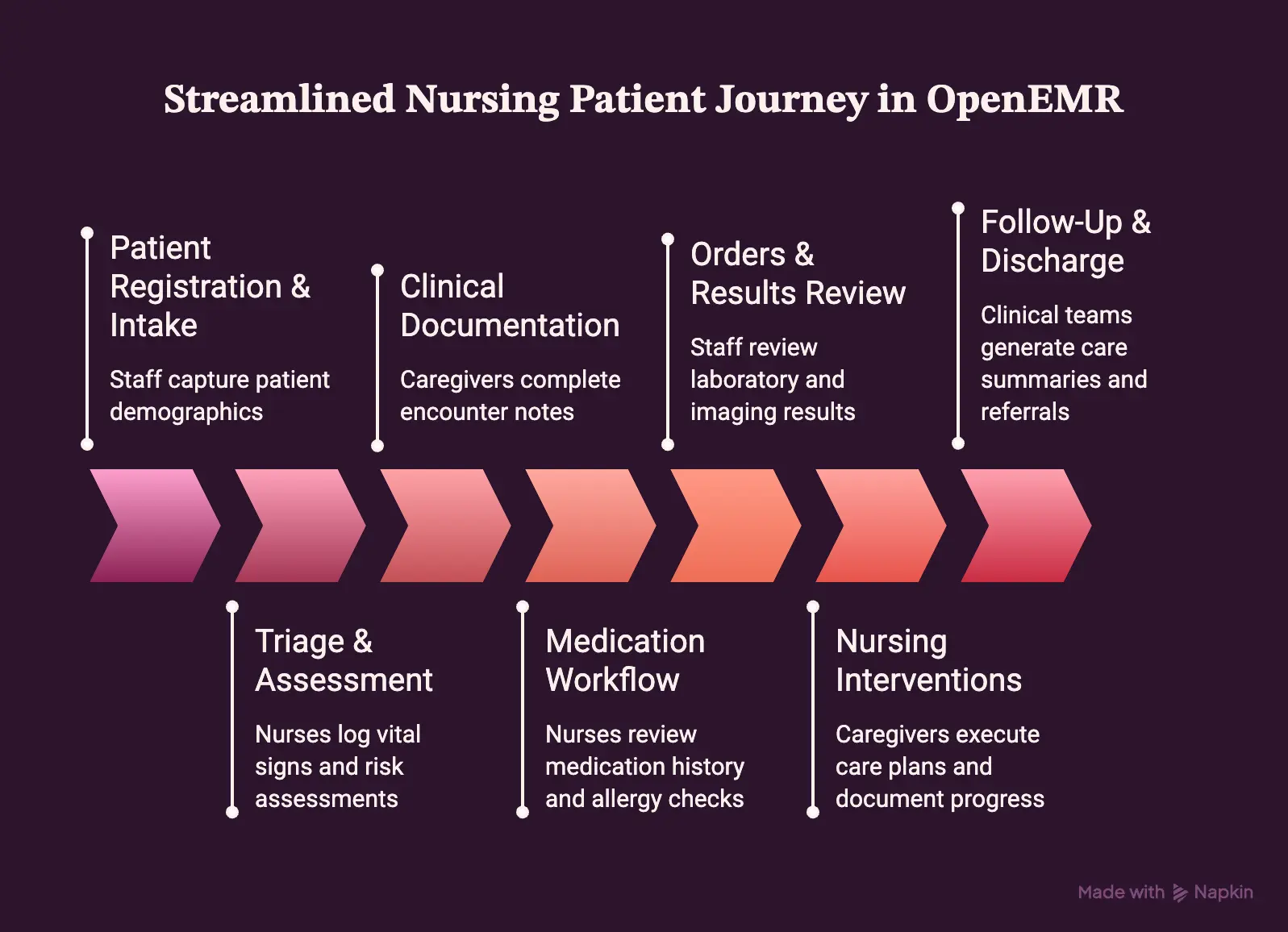
An OpenEMR implementation for nurses maps clinical tasks directly across the entire patient journey. By standardizing every encounter step, care teams systematically reduce duplicate data entry and prevent documentation errors.
Consequently, nurses can smoothly navigate registration, triage, assessment, care delivery, and follow-up within a single, unified platform.
Step-by-Step Nursing Patient Journey in OpenEMR
To optimize clinical efficiency, healthcare teams structure the nursing workflow into seven sequential stages:
- 1. Patient Registration & Intake: Staff capture patient demographics, insurance information, visit reasons, and custom intake forms.
- 2. Triage & Assessment: Nurses log vital signs, pain scale scores, allergies, and initial clinical risk assessments.
- 3. Clinical Documentation: Caregivers complete encounter notes using custom structured forms and standard SOAP templates.
- 4. Medication Workflow: Nurses review active medication history, perform allergy checks, and reconcile prescription lists.
- 5. Orders & Results Review: Staff review incoming laboratory results, inspect imaging reports, and respond to clinical alerts.
- 6. Nursing Interventions: Caregivers execute care plans, record wound care progress, and document patient education.
- 7. Follow-Up & Discharge: Clinical teams generate care summaries, process specialty referrals, and handle patient portal communications.
As a result, health centers eliminate communication gaps between shift changes. For a deeper breakdown of evaluating custom tools against standard software, see our guide on Custom AI Chatbots VS Pre-Made Chatbots for Enterprise.
Ultimately, structuring OpenEMR around the complete patient journey keeps clinical records organized from admission through discharge. Therefore, bedside nurses save valuable hours during high-volume clinical shifts.
OpenEMR Integration and Security Architecture for Nursing
A secure OpenEMR implementation for nurses relies on a flexible, layered architecture. By separating user interfaces from backend systems, clinical teams can securely connect external tools without risking data integrity.
Consequently, nurses access real-time diagnostic reports, pharmacy feeds, and bedside device data directly within their daily workflows.
1. System Integration and Data Flow Architecture
To manage clinical data safely, technical teams connect nursing tablet interfaces through standardized API protocols:
- Nursing UI Layer: Delivers role-based dashboards on tablets and mobile devices for bedside charting.
- OpenEMR Clinical Layer: Manages core patient records, encounter notes, and clinical decision support rules.
- Interoperability Layer: Uses REST, HL7, and FHIR APIs to route bi-directional messages securely.
- External Systems Layer: Connects LIS, pharmacy eMAR, RIS/PACS imaging, telehealth portals, and RPM wearables.
As a result, clinical teams eliminate manual data transfers between fragmented healthcare platforms.
For a deeper breakdown of interoperability, see our guide on How to Build an EHR Integration Platform for Hospitals.
2. Technical Safeguards and HIPAA Compliance Controls
While OpenEMR includes strong technical controls, installing software does not automatically make an organization HIPAA-compliant.
Therefore, health systems must enforce administrative, physical, and technical safeguards around electronic Protected Health Information (ePHI).
- Access & Identity Controls: Enforce role-based access, least privilege permissions, multi-factor authentication (MFA), and session timeouts.
- Data Protection & Encryption: Secure ePHI with AES-256 encryption at rest, TLS 1.3 in transit, and automated disaster recovery backups.
- Auditability & Legal Safeguards: Maintain detailed PHI access logs, enforce mobile-device security policies, and execute signed Business Associate Agreements (BAAs).
Ultimately, aligning technical controls with rigorous administrative policies keeps patient data safe. Therefore, nursing leadership can maintain strict regulatory compliance across all digital care environments.
OpenEMR Implementation for Nurses: 5-Step Rollout Plan
At Intellivon, we deploy custom clinical platforms by focusing on operational realities rather than theoretical features. A successful OpenEMR implementation for nurses requires an engineering rollout that prioritizes clinical safety, system stability, and user adoption.
Here is how our technical team executes an enterprise-grade deployment step by step.
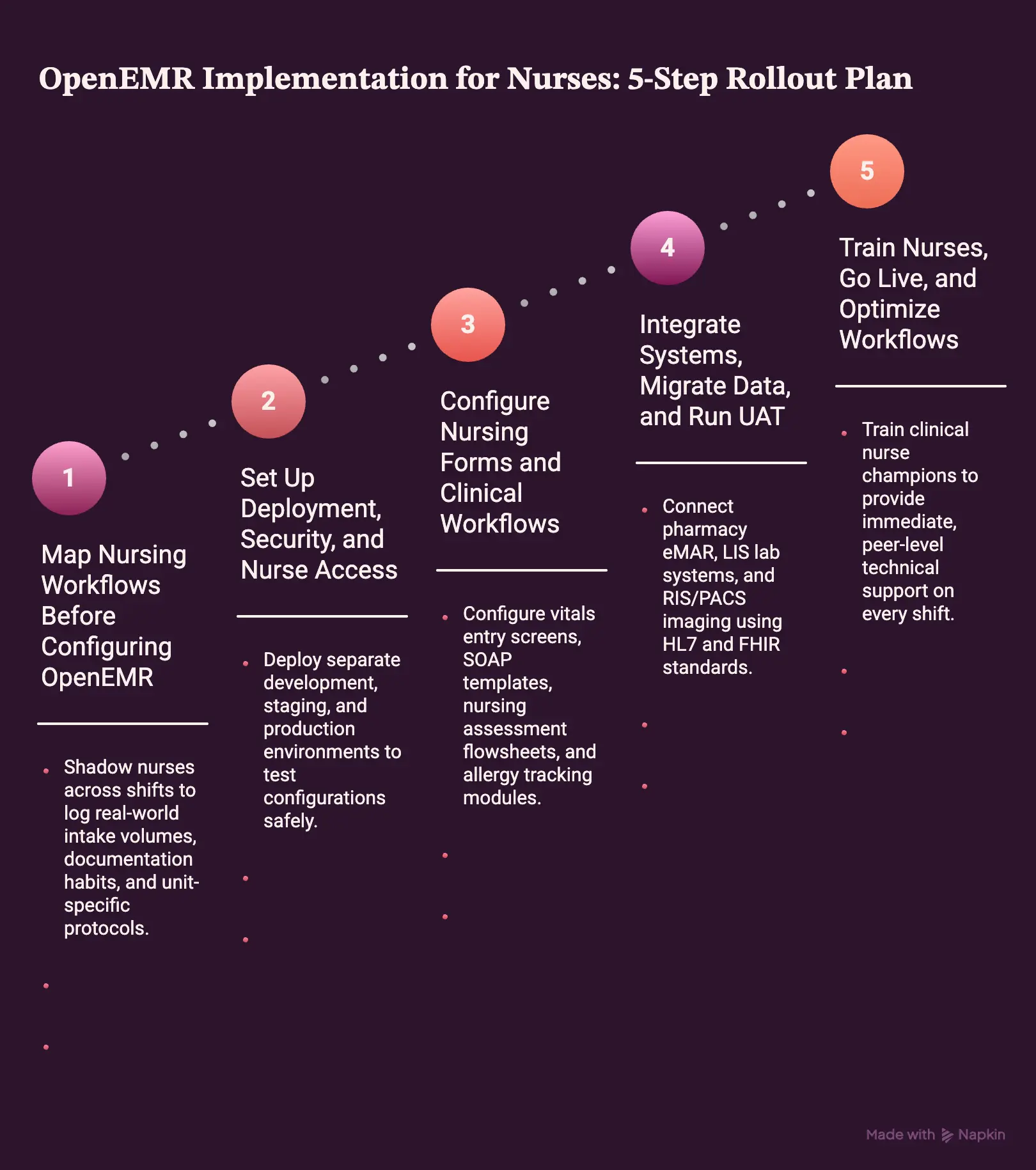
1. Step 1 — Map Nursing Workflows Before Configuring OpenEMR
Before opening a software codebase, engineering teams must evaluate actual bedside practices across every clinical unit. Customizing software without clear requirements forces nurses into awkward workarounds that slow down daily care.
To prevent system friction, our discovery process translates physical nursing tasks into explicit software specifications:
- Observation & Discovery: We shadow nurses across shifts to log real-world intake volumes, documentation habits, and unit-specific protocols.
- Process Mapping: Technical teams create detailed current-state and future-state workflow maps that identify redundant clicks and bottlenecks.
- Data & Compliance Audit: We inventory existing documentation forms, clinical field requirements, and specialized compliance rules.
Intellivon’s approach translates raw nursing activities into explicit software requirements, system events, custom database fields, role permissions, and measurable acceptance criteria. Consequently, technical teams build systems that support existing clinical routines.
Step 2 — Set Up Deployment, Security, and Nurse Access
Deploying the certified OpenEMR 8 baseline requires building a secure infrastructure designed for high availability and strict compliance. Healthcare organizations must select between cost-optimized AWS or Azure cloud hosting and traditional on-premises servers.
To ensure data integrity, technical teams construct isolated environments and enforce strict security boundaries:
- Environment Isolation: System engineers deploy separate development, staging, and production environments to test configurations safely.
- Disaster Recovery: We implement AES-256 automated backup pipelines with rapid failover architecture to meet healthcare continuity standards.
- Access Control: System administrators configure multi-factor authentication (MFA), strict session timeouts, immutable audit logging, and mobile-device security policies.
Intellivon establishes a role-based access hierarchy that restricts PHI access strictly by job responsibility. Therefore, bedside nurses access necessary charts quickly while administrative permissions remain securely isolated.
Step 3 — Configure Nursing Forms and Clinical Workflows
Customizing forms ensures nurses record vital patient data quickly without wasting time navigating confusing screen menus. Using native Layout Based Forms (LBF) allows development teams to build structured intake templates without writing unnecessary custom code.
During this stage, technical teams configure clinical documentation modules for high-frequency workflows:
- Essential Charting: Configure vitals entry screens, SOAP templates, nursing assessment flowsheets, and allergy tracking modules.
- Care Management: Build personalized care plans, medication reconciliation lists, active problem lists, and discharge summary templates.
- Specialty Modules: Design custom flowsheets for wound care, IV infusions, pediatric tracking, and clinical reminder alerts.
Intellivon prototypes high-volume nursing workflows first, allowing clinical champions to test usability before engineering teams deploy complex specialty forms. Consequently, this iterative approach prevents costly late-stage redesigns.
Step 4 — Integrate Systems, Migrate Data, and Run UAT
Migrating legacy records requires precise data mapping to prevent information loss during system transfers. Development teams extract, clean, and validate historical patient demographics, active medication lists, immunization histories, and lab records.
Simultaneously, engineers establish bi-directional integrations across external health infrastructure:
- Standards-Based Protocols: Connect pharmacy eMAR, LIS lab systems, and RIS/PACS imaging using HL7 and FHIR standards.
- Extended Connections: Route data feeds from remote patient monitoring (RPM) wearables, telehealth portals, and HIE networks.
- Real-World UAT: Nurse-led User Acceptance Testing evaluates complex edge cases, such as wrong-patient selections, abnormal vitals alerts, and incomplete discharge forms.
Intellivon conducts nurse-led scenario simulations rather than basic IT validation. As a result, the platform is thoroughly tested against real-world clinical stressors before going live.
Step 5 — Train Nurses, Go Live, and Optimize Workflows
An EHR platform is only as effective as the clinical staff operating it. Standard classroom lectures rarely prepare nurses for fast-paced bedside charting, making hands-on practice in safe environments essential.
To drive rapid software adoption, technical teams execute a targeted, role-based onboarding strategy:
- Superuser Training: Train clinical nurse champions to provide immediate, peer-level technical support on every shift.
- Interactive Sandboxes: Supply interactive OpenEMR sandbox environments where nurses practice scenario simulations safely.
- Unit-Specific Guides: Issue concise quick-reference guides, shift-based training exercises, and point-of-care bedside cheat sheets.
For a deeper breakdown of clinical-system onboarding, see our guide on What Features Should EHR Burnout Solutions Really Include.
Following go-live, Intellivon executes structured 30-, 60-, and 90-day optimization cycles. Therefore, technical teams continuously analyze usage metrics, refine custom forms, and eliminate documentation friction long after initial deployment.
OpenEMR Implementation Cost for Nursing Teams in 2026
A production-ready OpenEMR implementation for nursing teams typically requires a $70,000–$300,000 project budget when deployment, nursing workflow customization, integrations, migration, security, testing, and training are included.
Furthermore, this estimate reflects Intellivon’s professional engineering planning range rather than an OpenEMR software licensing fee.
Although OpenEMR remains open-source software, ONC certification standards and third-party infrastructure requirements still create necessary operational service costs.
Development Cost Table
| Implementation Phase | Estimated Cost Range |
| Discovery & Nursing Workflow Mapping | $8,000 – $15,000 |
| Deployment & Security Architecture | $12,000 – $30,000 |
| Nursing Forms & Workflow Customization | $15,000 – $50,000 |
| Integrations & Data Migration | $15,000 – $60,000 |
| UAT, Training & Go-Live Support | $10,000 – $25,000 |
| Advanced Modules & AI Automation | $10,000 – $120,000 |
| Total Estimated Project Investment | $70,000 – $300,000 |
Ongoing Budgeting and Deployment Timelines
Beyond the initial rollout, health systems should budget 15–25% of the initial implementation cost annually. Consequently, this ongoing investment ensures continuous updates, security patches, system maintenance, and workflow revisions over time.
For a deeper breakdown of how healthcare organizations plan scalable software infrastructure, see our guide on Building Smart EHR Systems with AI Capabilities.
In addition, deployment timelines vary directly based on clinical environment complexity:
- Focused Outpatient or FQHC Rollout: 10–16 weeks.
- Multi-Site or Integration-Heavy Deployment: 4–8 months.
- Institutional, SNF, or Custom Nursing Environment: 6–12 months.
As a result, establishing a clear budget and timeline ensures project success from day one. Therefore, nursing leadership can confidently plan digital transformations without risking unexpected cost overruns.
Real-World Examples of Healthcare Organizations Using OpenEMR
An OpenEMR implementation for nurses powers diverse clinical environments globally. Rather than forcing clinical staff into rigid software structures, healthcare organizations adapt OpenEMR to handle distinct patient care models, specialized workflows, and unique regulatory requirements.
3 Major Organizations Operating on OpenEMR
Enterprise providers across different care sectors rely on customized OpenEMR platforms to run daily clinical operations:
- United States Peace Corps: The U.S. Peace Corps selected OpenEMR as the foundational platform for its global healthcare network. Consequently, the organization manages clinical records, immunization tracking, and nurse notes for personnel deployed across international missions.
- Pohnpei Community Health Center: Serving an island community, this federally funded health center deployed a custom OpenEMR platform. Furthermore, the tailored setup enabled paperless nursing intake, digitized vitals tracking, automated prescription processing, and streamlined billing.
- Trincay Medical Center: This multi-specialty healthcare practice migrated tens of thousands of patient records to a cloud-hosted OpenEMR system. Consequently, multi-disciplinary providers and nursing staff access cloud-based charting, diagnostic review, and scheduling tools from any location.
Ultimately, these real-world deployments prove OpenEMR’s vast adaptability across diverse clinical environments. Therefore, healthcare leadership can confidently choose open-source software to support scalable, custom nursing operations.
Benefits and KPIs for OpenEMR Nursing Workflow Improvement
An OpenEMR implementation for nurses delivers tangible ROI when evaluated through measurable operational indicators. Rather than relying on vague performance claims, healthcare organizations should track specific charting, clinical workflow, software adoption, and patient safety metrics.
Consequently, clinical leaders can measure real efficiency gains across every nursing shift.
Primary Metrics for Measuring Nursing Workflow Optimization
To measure platform success, healthcare informatics teams monitor key performance indicators (KPIs) across four core operational areas:
- Documentation KPIs: Average charting time per encounter, rate of incomplete nursing notes, duplicate data entry frequency, and documentation correction rates.
- Workflow Efficiency KPIs: Time from patient arrival to completed intake, medication reconciliation completion speed, result-review latency, and discharge documentation time.
- Adoption & Usage KPIs: Superuser support escalation counts, help-desk ticket volumes, training completion rates, and standardized template utilization.
- Safety & Quality KPIs: Missing allergy documentation instances, medication administration discrepancies, overdue preventive care alerts, and handoff note completeness.
As a result, health systems turn raw clinical usage data into clear operational improvements.
For a deeper breakdown of optimizing clinical software adoption, explore our guide on How to Develop an EHR Training System for Hospitals.
Ultimately, establishing precise KPIs ensures that software updates yield measurable clinical benefits. Therefore, nursing leaders can continuously improve patient care and reduce staff documentation burden.
Implement OpenEMR Around the Way Your Nurses Actually Work With Intellivon
Deploying an OpenEMR implementation for nurses requires aligning software architecture with actual clinical practice to prevent documentation friction.
At Intellivon, we customize OpenEMR 8 to support your clinical teams from initial intake through final discharge.
Here is how our technical team builds a tailored, HIPAA-compliant OpenEMR environment:
- Nursing Workflow Discovery: Shadowing staff to map physical clinical tasks directly into system fields.
- OpenEMR 8 Architecture: Deploying certified cloud-hosted environments configured for high availability and security.
- Custom Layout-Based Forms: Designing fast intake, vitals, assessment, and SOAP documentation flowsheets.
- Standards-Based Integrations: Connecting HL7 and FHIR APIs for pharmacy eMAR, labs, RIS/PACS, and device feeds.
- Data Migration & Validation: Securely transferring historical patient demographics, immunizations, and medical records.
- HIPAA-Ready Safeguards: Enforcing role-based access, multi-factor authentication, and automated backup protocols.
- Interactive Sandbox Testing: Conducting nurse-led UAT simulations to validate real-world edge cases before go-live.
- Targeted Onboarding & AI Extensions: Delivering unit-specific training alongside optional ambient AI charting tools.
If you want to build this for your healthcare organization, book a free strategy call with Intellivon.
Conclusion
In conclusion, an OpenEMR implementation for nurses offers healthcare organizations complete workflow flexibility and data ownership without heavy licensing fees. However, turning open-source software into an efficient clinical tool requires clear architecture mapping, custom form design, and secure integrations.
Furthermore, prioritizing nurse-led testing and structured training ensures rapid platform adoption across clinical units.
As a result, health systems significantly reduce documentation friction while improving overall patient care. Ultimately, partnering with an experienced technical team turns OpenEMR into a reliable, long-term healthcare solution.
FAQs
Q1. Is OpenEMR HIPAA compliant for nursing documentation?
OpenEMR includes technical safeguards like role-based access, audit logging, and encryption to support compliance. However, installing the software does not automatically make your organization compliant.
HHS requires strict administrative policies, secure hosting, staff training, and signed Business Associate Agreements across your physical and digital environments.
Q2. Does OpenEMR need AI models for nursing workflows?
No, standard OpenEMR nursing workflows function effectively without any AI capabilities. Nevertheless, healthcare organizations can choose to add optional AI layers for specific administrative tasks.
For instance, teams can deploy ambient scribes for documentation assistance, automated clinical summarization, predictive risk scoring, intelligent task prioritization, or smart patient message routing.
Q3. What systems should OpenEMR integrate with for nurses?
OpenEMR should connect with laboratory information systems (LIS), pharmacy eRx networks, RIS/PACS imaging, and patient portals. Additionally, integrating medical devices, remote patient monitoring (RPM) tools, telehealth platforms, and identity providers streamlines care.
Consequently, developers use FHIR, SMART on FHIR, REST APIs, and HL7 standards for bi-directional data flow.
Q4. Can OpenEMR support nursing homes, SNFs, or eMAR?
Historically, base OpenEMR focused primarily on ambulatory outpatient care. However, ongoing updates, including the institutional module project, introduce dedicated eMAR tracking, continuous vitals storage, and inpatient bed management.
Consequently, these environments are increasingly feasible, though organizations should validate specific clinical capabilities before committing to a full deployment.
Q5. Should we customize OpenEMR or buy a commercial EHR?
Select OpenEMR when your health system prioritizes workflow control, source-code ownership, lower licensing costs, and deep system customization.
Conversely, choose commercial software if you require pre-packaged inpatient functionality out of the box, established vendor SLAs, minimal internal technical management, and a standardized, rigid workflow that needs no engineering effort.
To Sum It Up:
- OpenEMR may be free to license, but a production nursing implementation is an engineering and change-management project.
- The best OpenEMR nursing workflow uses native functionality where possible and reserves custom development for workflows that create measurable clinical value.
- OpenEMR 8 is ambulatory-certified, so inpatient and eMAR requirements should be validated before organizations commit to the platform.
- Nurse-led UAT is more valuable than testing whether every button technically works; clinical workflows fail at handoffs, exceptions, and time pressure.
- AI should come after the nursing workflow works, and not be used to compensate for poor EHR configuration.