

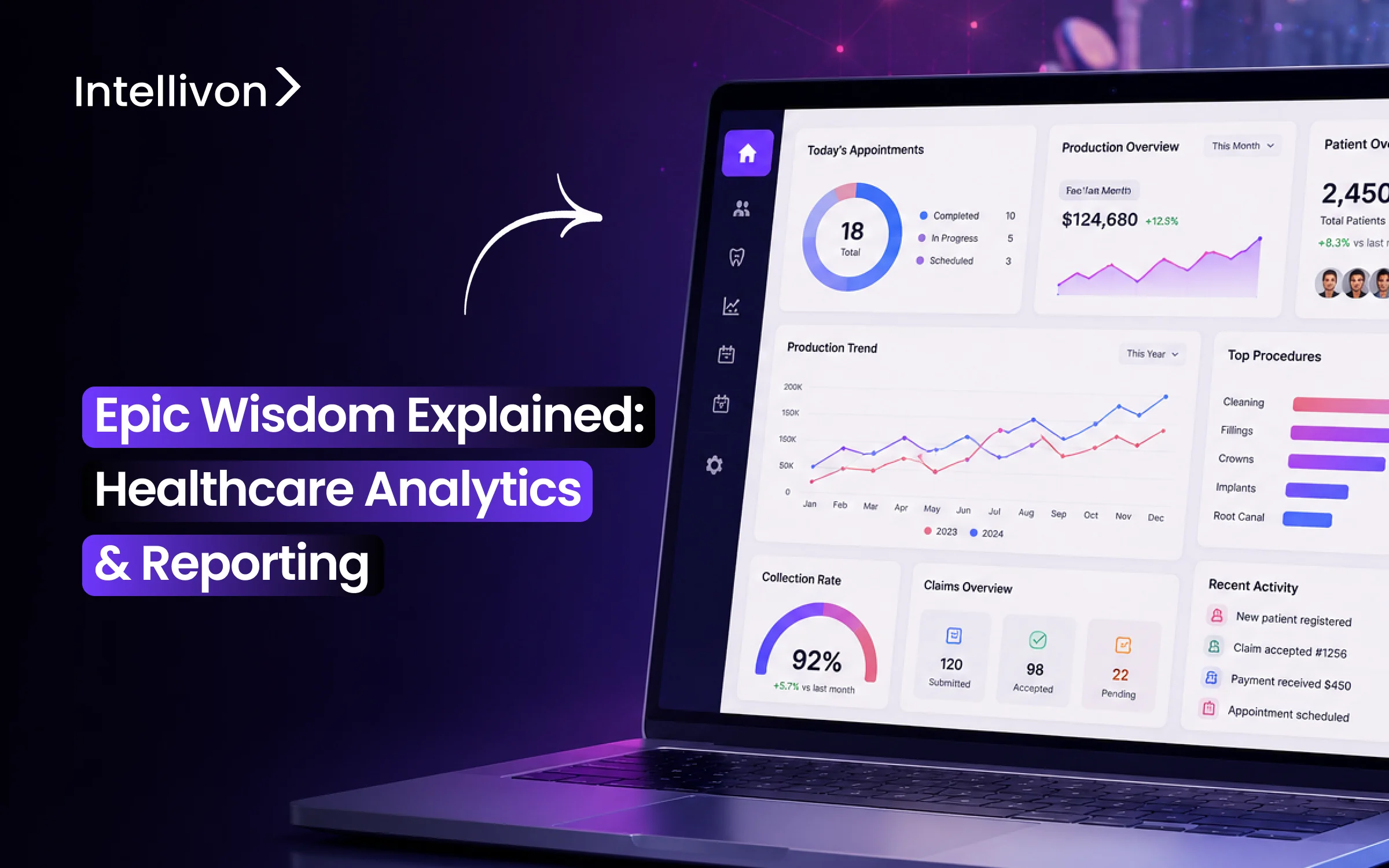
Key Takeaways:
-
Epic Wisdom is basically Epic’s way of helping out dental practices. It’s what most dentists we know use to keep up with charting, treatments, X-rays, setting up appointments, and billing. It puts everything in one place, which honestly saves a lot of daily hassle.
-
Something we really like is how it connects with the rest of a patient’s records. If dentists look up someone’s allergies or what meds they’re on, it’s just there.
-
But I’ll be real: if you need deep reporting or want to dig into analytics, Wisdom isn’t really built for that. Most clinics I’ve come across end up using Clarity, Caboodle, SlicerDicer, or sometimes even outside business intelligence tools for the heavy lifting.
-
Custom Wisdom projects can be anywhere from $70,000 up to $300,000. It all comes down to how much data you’re trying to move, which systems need to “talk” to each other, and how fancy you want your reporting or automation to be.
-
At Intellivon, this is kind of our bread and butter: helping with integrations, building data pipelines, making reporting work, sorting out workflow automation, sometimes even bringing in AI. Epic is still the main system for clinical stuff, but we make sure everything else fits together, so you don’t have to sweat the details.
To answer a single measure question, quality directors have to deal with three or four of Epic’s analytics tools, and the figures usually don’t agree when they are first retrieved. Epic Wisdom is the company’s effort to remedy this situation by providing a single analytics layer in which reporting, dashboards, and quality tracking can all be housed, rather than requiring teams to manually reconcile Clarity, Caboodle, and SlicerDicer every time.
It doesn’t resolve as much as people anticipate, since the underlying data model still needs to treat MIPS and HEDIS fields as structured data if the numbers that Wisdom displays are to become any more complete. This gap does result in actual financial losses: a typical practice with ten providers can have up to $270,000 in MIPS penalty risk, and most of that risk is due to reporting gaps rather than to actual failures in care.
When the health systems we’ve worked with go into detail, they usually discover that the issue wasn’t the dashboard but the way in which the data is collected at earlier stages. This blog examines Wisdom’s architecture, compares it with that of Clarity and Caboodle, looks at its applications in the areas of quality and population health, considers its integration with AI, and outlines what is actually required to set it up correctly.

What Is Epic Wisdom and Where Does It Fit in the Epic EHR?
Epic Wisdom is Epic’s dental application, built into the same EHR system hospitals use for medical records. In other words, it is not a standalone product. Instead, it runs inside the broader Epic ecosystem, alongside modules like Cadence for scheduling and Resolute for billing.
As a result, dentists use it to document oral health, build treatment plans, manage preventive care, and coordinate with the rest of a patient’s care team.
Epic Wisdom Explained in Simple Terms
To understand where Wisdom fits, it helps to think of it as one layer in a larger stack. First, the Epic EHR sits at the top.
Then, EpicCare Ambulatory handles general outpatient care. Finally, Wisdom plugs into that same record for dental-specific workflows.
- Tooth charting and a dental navigator for quick oral health review
- Treatment plans tied to the same chart a physician sees
- Imaging support through MiPACS, without new hardware
- Scheduling and pre-authorization built into the same visit flow
Because everything shares one record, a dentist can see a patient’s allergies or medications instantly. Likewise, a physician can pull up oral health history just as easily.
Who Uses Epic Wisdom?
So far, adoption is concentrated rather than widespread. Specifically, it fits organizations already running Epic at scale, rather than solo dental practices.
- Hospitals with dental departments
- FQHCs serving broader community populations
- Integrated delivery networks with medical-dental overlap
- Academic dental centers, including teaching hospitals
- Children’s hospitals with pediatric dental units
- Health-system-owned dental practices
Epic Wisdom is a dental module embedded in the Epic EHR, and not a separate analytics or reporting platform.
It works because it shares one record across medical and dental care, which is why adoption so far is limited to health systems already running Epic at scale.
How Epic Wisdom Connects Dental and Medical Patient Records
Most dental software stops at the mouth. Epic Wisdom does not. Because it runs inside the same EHR as the rest of a patient’s chart, a dentist and a physician are reading from one record, not two systems that occasionally sync. That single point of access, as OCHIN describes it, is arguably Wisdom’s biggest value to a health system, not the tooth charting.
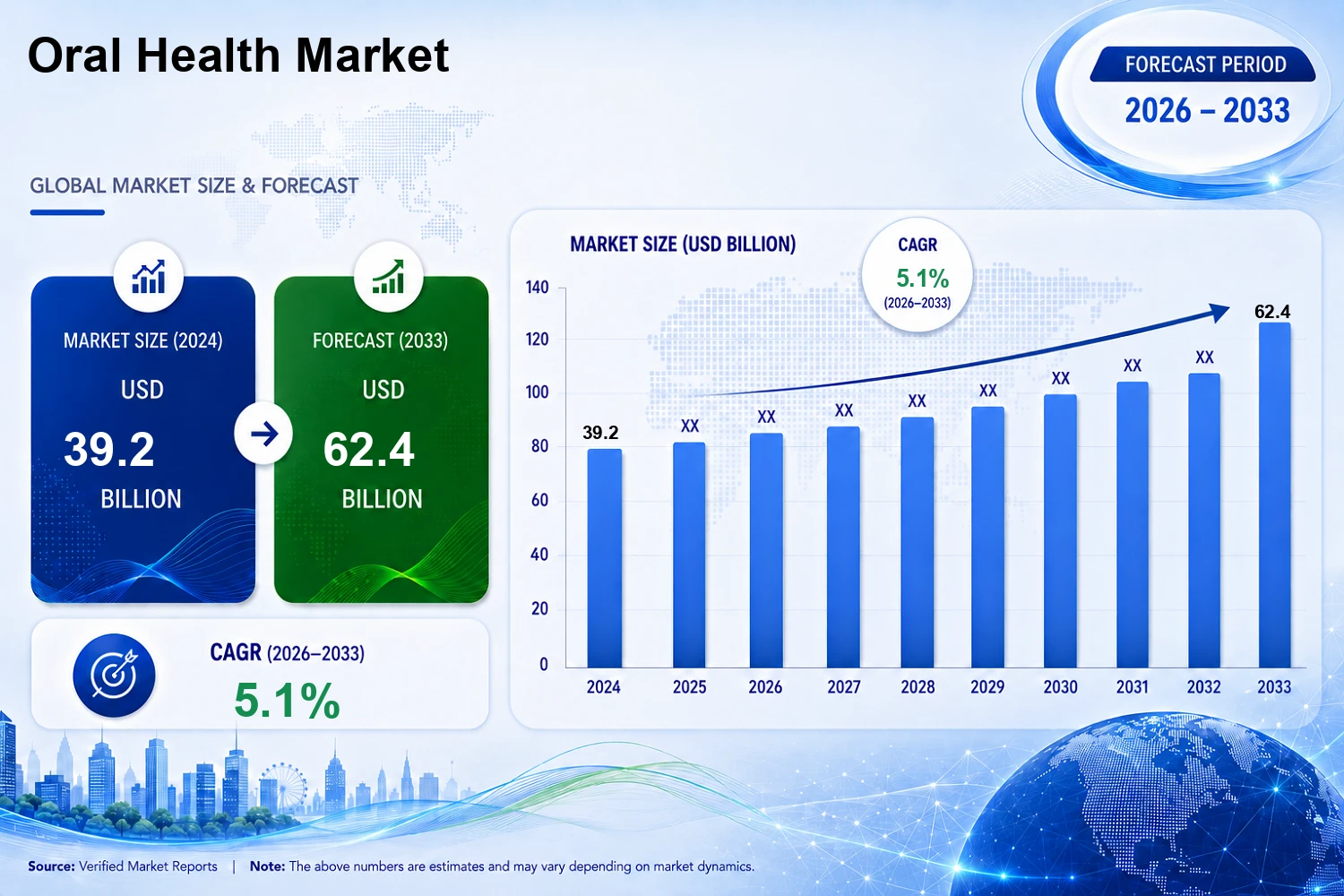
This matters more now because the market is catching up to the idea. The global oral health market is projected to grow at a 6.5% CAGR from 2026 to 2034, reaching an estimated $85.2 billion, and a rising share of that growth is tied directly to oral-systemic awareness rather than routine dental care.
In short, health systems are being pushed toward integration, not just offered it as a nice-to-have.
1. Shared Medical and Dental History
Once a health system moves to Wisdom, both sides of care draw from the same data, not a summary or a periodic export. Specifically, that shared record includes:
- Diagnoses across both medical and dental visits
- Medications, so prescribing decisions account for the full picture
- Allergies, visible to any provider regardless of specialty
- Laboratory results tied to the same patient chart
- Past procedures, dental and medical alike
- Hospital encounters, including inpatient stays
As a result, a provider no longer has to ask a patient to remember their own history. The system already has it.
2. Oral-Systemic Care Coordination
Because the record is shared, care teams can actually coordinate around conditions that cross both disciplines.
For example, Epic Wisdom’s medication database triggers real-time alerts when a dental prescription conflicts with a patient’s existing medical history. Consequently, several high-risk scenarios become far easier to manage:
- Diabetes and periodontal disease, which worsen each other
- Cardiovascular risk factors ahead of dental procedures
- Anticoagulant use before oral surgery
- Oncology patients at risk of oral complications
- Pregnancy and the timing of dental treatment
Without shared data, each of these depends on a patient accurately reporting their own history. With Wisdom, it depends on the record instead.
3. Shared Patient Identity and Longitudinal Record
Traditional dental software gives a patient a separate identity from their medical record. Over time, that creates two histories for one person, which is a governance problem as much as a clinical one.
Wisdom removes that split entirely, since dental and medical data run through one EHR instance rather than two systems joined after the fact.
For an enterprise data team, that means one identity to govern, one audit trail, and one longitudinal record that doesn’t drift out of sync as a patient moves between departments.
Epic Wisdom is a single patient identity shared across medical and dental care, enabling real-time oral-systemic coordination and removing the governance overhead of maintaining two separate records for one person.
Which Epic Wisdom Features Matter Most for Enterprise Dentistry
A feature list alone doesn’t tell a CDO which capabilities carry weight at scale. What matters is how each feature maps to a real operational workflow, from the exam chair to the claims desk. Below, each Wisdom feature is organized around the workflow it actually supports.
1. Tooth Charting and Dental Navigator
Tooth charting is the clinical foundation everything else in Wisdom builds on. Consequently, it needs to capture more than a single visit’s findings.
- Full dentition mapped at the tooth and surface level
- Clinical findings logged directly against each tooth
- Restorations tracked over time, not just at entry
- Surface-level detail for cavities, fillings, and wear
- Clinical history visible alongside current findings
Because the Dental Navigator surfaces this data in one view, providers spend less time hunting through notes and more time on the exam itself.
2. Dental Treatment Planning
Treatment planning in Wisdom is sequential, not a flat list of procedures. As a result, a plan reflects the actual order of care, rather than just what’s been proposed.
- Planned procedures tied to specific findings
- Sequencing across multiple visits
- Treatment phases for complex or long-term cases
- Clinical findings linked directly to each planned step
- Completion tracking as procedures are finished
This structure means a provider picking up a case mid-treatment can see exactly where the plan stands, instead of reconstructing it from memory.
3. Preventive Care and Recall Workflows
Preventive care is where Wisdom’s shared record pays off operationally, not just clinically. Specifically, the system flags gaps before they become larger problems.
- Routine exams scheduled and tracked
- Prophylaxis visits logged against recall intervals
- Follow-up care flagged automatically
- Care gaps surfaced at the patient level
- Preventive reminders sent through the same patient portal used for medical care
Because recall logic runs off the same record as medical care, a missed dental visit is visible to the entire care team, not just the dental front desk.
4. Dental Imaging and PACS Integration
Imaging is one area where Wisdom deliberately avoids reinventing the wheel. Instead, it connects to existing infrastructure. OCHIN documents a direct integration with MiPACS Dental, meaning organizations don’t need new hardware to bring imaging into the clinical workflow.
- Radiographs available inside the same patient chart
- Panoramic images stored and retrievable without a separate system
- Intraoral imaging tied to specific tooth findings
- Third-party PACS integration handling image storage
- Images accessible mid-visit, not through a separate login
Since imaging lives inside the same workflow as charting, a provider reviewing a treatment plan doesn’t have to switch systems to see the film behind it.
5. Dental Estimates and Pre-Authorization
This is where clinical workflows start to intersect with revenue. Before a procedure moves forward, Wisdom generates cost estimates and handles pre-authorization within the same system used for charting and treatment planning.
Because estimates and pre-auth sit inside the clinical workflow rather than a separate billing tool, front desk staff can confirm coverage before a patient leaves the chair, which reduces the back-and-forth that typically follows a procedure.
This is also the natural bridge into the next workflow: once an estimate is approved, it flows directly into claims.
6. Claims, Billing, and Procedure Workflows
Billing in Wisdom follows the same logic as the rest of the platform. Data entered during the clinical visit carries forward, rather than being re-entered downstream.
- Dental procedure coding tied to documented findings
- Payer-specific workflows built into the claims process
- Estimates converting directly into billable claims
- Claims submission integrated with Epic’s broader revenue cycle tools
- Payment workflows tracked against the same patient account used for medical billing
Because coding and claims draw from the clinical record instead of a parallel entry process, organizations moving to Wisdom report fewer discrepancies between documented care and billed care, which matters directly to a CFO evaluating denial rates.
7. MyChart Patient Engagement
Patient engagement in Wisdom runs through MyChart, the same portal patients already use for medical care. Therefore, dental engagement doesn’t require a second app or a second login.
- Appointment scheduling and reminders
- Direct communication with dental providers
- Access to treatment plans and visit records
- Follow-up care visible alongside medical follow-ups
- Pre-visit forms and notes submitted through the same portal
Since patients only need one portal for both medical and dental care, engagement rates tend to hold steadier than with a standalone dental app patients rarely open.
Wisdom’s features only matter at enterprise scale because they connect to each other, charting feeds treatment planning, treatment planning feeds estimates, and estimates feed claims.
That connected workflow is what separates Wisdom from standalone dental software.
How a Dental Visit Moves Through Epic Wisdom From Start to Finish
A single dental visit touches nine different data points before it ever reaches a claim.
Seeing that full path, rather than a list of isolated features, is what actually shows a CDO or BI Director how Wisdom behaves as a system. Below is that path, step by step.
Step 1 — Appointment Scheduling and Registration
A visit begins before the patient walks in, through Epic’s scheduling and registration modules.
Because Wisdom sits inside the same Epic instance, dental visits are scheduled through Cadence and registered through Prelude, the same modules used for medical appointments.
- Appointment booked in Cadence against dental provider availability
- Patient registered through Prelude, pulling existing demographics
- No separate registration system for dental versus medical visits
- Insurance and coverage details confirmed at check-in
Since registration draws from the same patient record used across the health system, front desk staff aren’t re-entering data that already exists elsewhere.
Step 2 — Medical History and Safety Review
Once registered, the provider reviews the patient’s full medical picture before any clinical work begins. This step is where Wisdom’s shared record delivers its clearest safety value.
- Current medications pulled from the enterprise medication database
- Allergies flagged automatically, regardless of which department logged them
- Active medical conditions visible alongside dental history
- Recent encounters, including hospital visits, shown in context
Because this review happens inside the same chart as the rest of the visit, providers don’t need to ask patients to self-report a history the system already has.
Step 3 — Dental Examination and Tooth Charting
With safety review complete, the exam itself moves into tooth charting through the Dental Navigator. Findings are logged directly against the tooth and surface they affect, not as free-text notes.
- Structured findings entered tooth by tooth
- Surface-level detail captured for decay, wear, and restorations
- Prior findings visible for comparison against the current exam
- Navigator view surfacing the full picture in one screen
As a result, the chart reflects a structured clinical record rather than a narrative summary that’s harder to search or report on later.
Step 4 — Imaging and Diagnostic Review
Diagnostic imaging follows the exam, feeding directly into the same patient record. Radiographs and panoramic images are pulled through the PACS integration rather than a separate imaging system.
- Radiographs reviewed alongside charted findings
- Panoramic images available without leaving the chart
- Intraoral images tied to specific documented findings
- No separate login or system required for image review
Because imaging sits inside the same workflow as charting, the provider can confirm a finding visually before moving to treatment planning.
Step 5 — Treatment Planning and Patient Approval
Once findings and imaging are confirmed, the provider builds a treatment plan sequenced against those findings. The patient reviews and approves the plan, along with a cost estimate, before treatment moves forward.
- Procedures sequenced by phase and priority
- Estimates generated against the proposed procedures
- Plan shared with the patient for review and approval
- Sequencing adjustable if findings change mid-treatment
Consequently, the patient sees both the clinical plan and the cost before committing, which reduces disputes after treatment is delivered.
Step 6 — Pre-Authorization and Procedure Delivery
Before delivery, high-cost or payer-restricted procedures typically require pre-authorization. This step connects the clinical plan directly to payer requirements, rather than treating authorization as a separate administrative task.
- Pre-authorization requests generated from the approved treatment plan
- Payer requirements checked against planned procedures
- Procedure delivery logged against the authorized plan
- Any deviation from the authorized plan flagged for follow-up
Because authorization ties back to the same plan the patient approved, there’s less risk of a procedure being delivered outside what’s actually covered.
Step 7 — Coding, Claims, and Payment
After delivery, the encounter moves into a revenue cycle without re-entry. Procedure codes are generated from the documented treatment, then submitted as claims through Epic’s billing tools.
- Procedure coding tied directly to charted findings
- Claims submitted using Epic’s revenue cycle infrastructure
- Payer-specific rules applied automatically during submission
- Payment tracked against the same account used for medical billing
Since coding and claims draw from the clinical documentation itself, the gap between what was delivered and what was billed stays smaller than in systems where billing is a manual, separate step.
Step 8 — Follow-Up Through MyChart and Recall Workflows
The visit doesn’t end at payment. Follow-up and recall scheduling run through MyChart, closing the loop back to preventive care.
- Recall reminders scheduled based on treatment type
- Follow-up visits flagged automatically in the patient’s record
- MyChart messaging available for post-procedure questions
- Care gaps surfaced if a recommended follow-up is missed
Because recall logic runs through the same portal patients already use for medical care, follow-through tends to hold up better than with a standalone dental reminder system.
A single dental visit in Wisdom moves through eight connected steps, from scheduling to recall, without switching systems or re-entering data.
That end-to-end continuity is what separates an enterprise Wisdom deployment from a standalone dental workflow bolted onto Epic.
How Epic Wisdom Integrates With Other Tools
Wisdom doesn’t operate as a standalone application. It sits inside a network of Epic modules, each responsible for one part of the patient journey, from scheduling to billing to patient communication.
Understanding this network matters before any integration project starts, because it determines what connects natively and what requires custom work.
1. EpicCare Ambulatory
This module holds the shared clinical record Wisdom depends on. Because Wisdom reads and writes to the same chart, medical and dental findings appear together without a separate sync step.
2. Cadence and Prelude
Scheduling runs through Cadence, while registration runs through Prelude. Since these are the same modules used for medical visits, dental patient access follows an identical process, not a parallel one.
3. Resolute
Where configured, professional billing and revenue cycle workflows route through Resolute. This ties dental claims to the same financial infrastructure already handling medical billing.
4. MyChart
Patient-facing access runs entirely through MyChart. As a result, patients manage dental appointments, records, and messaging through the same portal used for their medical care.
5. Dental Imaging and PACS
Image storage and retrieval happen through third-party PACS integration, as OCHIN documents, rather than a Wisdom-native imaging system. Consequently, imaging vendor choice still matters even after a Wisdom deployment is live.
6. External Systems and Integration Services
Beyond Epic’s own modules, Wisdom connects outward through FHIR, HL7, Epic’s APIs, and integration engines. However, not every workflow inside Wisdom exposes a direct FHIR endpoint today.
Some data still moves through HL7 interfaces or broader Epic integration services instead, which changes how a third-party build gets scoped.
Wisdom’s real strength comes from how tightly it connects to Epic’s existing modules, not from functioning as an isolated system. External integration is possible, but coverage varies by data type, so each connection point needs its own technical assessment rather than a blanket assumption.
What Epic Wisdom Can Report and Where Clarity and Caboodle Fit
Wisdom and Epic’s analytics tools solve two different problems. First, Wisdom creates and manages dental workflow data, while the broader Epic reporting ecosystem turns that data into enterprise-level analytics.
Consequently, confusing the two leads teams to expect reporting capability from a system that was never built to deliver it.
1. Operational Reporting Inside the Epic Environment
Wisdom does provide reporting, but it stays close to daily operations. Specifically, native reporting inside the Epic environment covers:
- Appointment volume and no-show tracking
- Treatment completion rates by provider or clinic
Because these reports run inside the same system generating the data, they’re fast to pull. However, they aren’t built for deep historical analysis:
- Provider workload across scheduled procedures
- Procedure volumes by type and time period
- Patient access metrics, including wait times
2. Use Clarity for Detailed Historical SQL Reporting
Once a question requires relational analysis across years of dental and medical data, Clarity becomes the right tool. After all, Clarity’s SQL-based reporting database supports custom queries that operational dashboards cannot answer:
- Multi-year trend analysis across dental and medical encounters
- Custom SQL queries built against the reporting database
- Cross-departmental comparisons not available natively in Wisdom
Therefore, for a deeper breakdown of the reporting database layer, see Intellivon’s Epic Clarity Explained: Healthcare Reporting & Data Analytics.
3. Use Caboodle for Enterprise Data Warehousing
When dental data needs to sit alongside medical, financial, and population health data at scale, Epic Caboodle is the layer built for that job. Specifically, its standardized data model exists to unify data across departments:
- One data model spanning dental, medical, and financial data
- Enterprise-wide reporting without department-specific silos
As a result, enterprise-level reporting that spans both disciplines belongs in Caboodle rather than in Wisdom’s native tools.
4. Use SlicerDicer for Appropriate Self-Service Analysis
Epic SlicerDicer gives analysts and BI teams self-service access, but only where dental data has been included in the configured subject areas. Otherwise, dental data simply won’t appear in results:
- Self-service queries built without SQL knowledge
- Results limited strictly to configured subject areas
- Dental data invisible until explicitly added to those areas
So, for a deeper breakdown of self-service Epic analytics, see Epic SlicerDicer: How Healthcare Teams Use Data for Analysis.
5. Connect Power BI, Tableau, Snowflake, or Databricks
For teams that need dental data alongside external data sources, the path runs through Power BI, Tableau, Snowflake, or Databricks instead. Typically, this is where a custom integration layer becomes necessary:
- Wisdom data extracted, modeled, and connected to external platforms
- Infrastructure Epic didn’t originally design for this purpose
- Compliance requirements layered into every connection point
In practice, Intellivon builds these connection layers regularly, treating them as a data engineering problem rather than a plug-and-play export.
Overall, Wisdom generates dental data, while Clarity, Caboodle, SlicerDicer, and third-party BI tools turn that data into enterprise analytics.
Ultimately, choosing among them depends on the specific analytical need, and getting this distinction wrong is the most common reason dental analytics projects stall before they start.
Which Dental Analytics Use Cases Create the Most Value
Every feature covered so far generates data. This section is where that data becomes decision-making capability, since the value of Wisdom’s analytics isn’t in Wisdom itself but in what a health system does with what it captures.
1. Treatment Plan Acceptance and Completion
Treatment plan analytics answer a question that directly affects revenue: which plans actually turn into completed care? Specifically, tracking should follow the full plan lifecycle:
- Plans created versus plans presented to patients
- Acceptance rate at the point of presentation
- Plans started but not completed
- Plans abandoned entirely, with reasons where captured
According to the 2026 Catalyst Index, average case acceptance across multi-location dental groups sits at 45%, while top-performing organizations reach 75%.
Consequently, that 30-point gap is almost always a data visibility problem before it’s a clinical one.
2. Scheduling, No-Shows, and Chair Utilization
For multi-location dental groups, scheduling analytics become far more valuable than for a single site. Because chair time is the primary revenue constraint, utilization gaps compound quickly across locations.
- No-show rate by location and provider
- Chair utilization compared against scheduled capacity
- Confirmation rate by reminder channel used
Industry data shows practices lose $105,000 or more annually to no-shows, and SMS reminders consistently outperform phone or email confirmation.
As a result, a health system running Wisdom across multiple sites can identify which locations are bleeding chair time long before it shows up in quarterly financials.
3. Preventive Care and Recall Analytics
Recall analytics identify patients who are overdue, rather than waiting for them to self-report a missed cleaning. This works because Wisdom’s recall logic runs off the same shared record used for medical care.
- Patients overdue for preventive exams
- Recall reminders sent versus recall visits completed
- Care gaps flagged at the population level, not just the individual chart
Therefore, a BI Director can surface overdue populations by clinic, provider, or patient segment instead of relying on manual chart review.
4. Dental Revenue Cycle Analytics
Revenue cycle analytics connect the clinical plan to what actually gets paid, and this is where dental billing performance becomes visible at scale.
- Estimates generated versus estimates that convert to authorized claims
- Authorization turnaround time by payer
- Claims submitted, denied, and resubmitted
- Reimbursement timing and aging by payer and procedure type
Because these metrics span the full claims lifecycle, a revenue cycle team can identify which payers or procedure codes are driving denials, rather than discovering the pattern months later in aging reports.
5. Oral-Systemic Population Analytics
This is where dental data starts to matter outside the dental department entirely. Population-level analysis surfaces patients whose oral health intersects with broader medical risk.
- Periodontal disease overlapping with diabetes diagnoses
- Cardiovascular risk factors present in dental patient populations
- Medically complex patients requiring coordinated dental and medical care
Since this analysis depends on Wisdom’s shared record with EpicCare Ambulatory, it’s not achievable through a standalone dental system, regardless of how detailed that system’s charting is.
6. Provider and Clinic Performance
Provider-level analytics let a multi-location group compare performance consistently, instead of relying on anecdotal impressions from site visits.
- Procedure volume by provider and clinic
- Appointment utilization compared across sites
- Procedure mix, restorative versus preventive versus surgical
- Workflow efficiency from check-in to checkout
Consequently, leadership can identify which clinics or providers are outperforming, and which need operational support, using consistent metrics across every location.
7. Academic and Clinical Research
For university dental centers, Wisdom’s structured data supports research in ways paper charts or fragmented systems never could.
Therefore, Faculty can pull longitudinal patient data, track outcomes across student-treated cases, and support case-based research without a separate research database.
- Longitudinal outcome tracking across treatment types
- Student and resident case volume and outcomes
- Research cohorts built from structured clinical findings
Academic centers therefore gain a research asset alongside their clinical operations, built on data that was already being captured for care delivery.
Wisdom’s operational data becomes genuinely valuable once it’s connected to analytics, whether that’s treatment acceptance, revenue cycle performance, or oral-systemic population health.
The use cases above are where the earlier architecture and integration sections actually pay off financially and clinically.
How Epic Wisdom Compares With Other Dental Analytics Tools
Choosing between Wisdom and a standalone dental platform isn’t about which system has more features. It’s about which one fits the enterprise architecture already in place.
Consequently, the comparison below reflects that distinction directly, rather than treating every platform as if it’s competing on the same criteria.
Epic Wisdom vs Other Dental Analytics Tools
| Decision Area | Epic Wisdom | Dentrix | axiUm | Open Dental |
| Hospital EHR integration | Strong | External integration | Usually separate | External integration |
| Dental-specific workflows | Strong, enterprise-oriented | Strong | Strong academic focus | Strong |
| Shared medical record | Major advantage | Limited | Limited | Limited |
| Academic dentistry | Strong | Less typical | Very strong | Less typical |
| Enterprise governance | Strong | Moderate | Moderate | Moderate |
| Implementation complexity | Higher | Lower | High | Lower |
| Best fit | Epic health systems | Dental groups | Dental schools | Independent groups |
Reading this table correctly matters more than the table itself. Wisdom doesn’t win on every dimension, and it isn’t meant to.
- Dentrix and Open Dental remain strong choices for independent groups without an existing Epic footprint
- axiUm holds a distinct advantage for pure academic dental programs not tied to a hospital system
- Wisdom’s advantage is structural, not feature-based: it exists because the shared medical record and enterprise governance already sit inside Epic
Because of that, the decision rarely comes down to which system has better tooth charting. Instead, it comes down to what a health system already runs, and what it’s trying to unify.
How to Implement Epic Wisdom Across a Health System or Dental School
Implementing Wisdom is not a software installation. Instead, it’s a workflow migration across clinical, administrative, and financial systems that all have to move together.
Consequently, the framework below reflects how that migration actually gets sequenced, rather than just what needs to happen eventually.
Step 1 — Map Existing Dental Workflows
Before any system design begins, the current state needs to be documented completely. Otherwise, gaps in the mapping surface later as gaps in the build.
- Appointment types across every dental specialty
- Treatment planning steps as they exist today
- Imaging capture and storage processes
- Billing and claims submission workflows
- Referral pathways between dental and medical providers
- Patient communication channels currently in use
Typically, Intellivon runs this mapping as structured interviews with front desk, clinical, and billing staff simultaneously, since workflow gaps usually show up at the handoffs between departments, not within a single role.
Step 2 — Audit the Legacy Dental Data
Once workflows are mapped, the data behind them needs its own audit. Specifically, legacy systems like Dentrix, axiUm, Open Dental, paper charts, and standalone PACS platforms rarely store data in a format Wisdom can ingest directly.
- Data structure and completeness within each legacy system
- Duplicate or conflicting patient identities across systems
- Image formats and storage locations for PACS migration
- Historical treatment data quality, including missing or inconsistent coding
Because of this, Intellivon approaches the audit as a data quality problem first and a migration problem second, since moving flawed data into Wisdom simply relocates the flaw instead of fixing it.
Step 3 — Design the Epic Integration Model
With workflows and data understood, the integration model defines exactly how Wisdom connects to the rest of Epic. As a result, this step determines how much custom engineering the project actually requires.
- EpicCare Ambulatory as the shared clinical record layer
- Cadence and Prelude for scheduling and registration
- Resolute for billing and revenue cycle configuration
- MyChart for patient-facing access
- Imaging and PACS connection points
- External systems requiring FHIR, HL7, or custom API work
Because two health systems on Epic can still run meaningfully different configurations, Intellivon builds this integration model against the specific Epic build already in place, rather than assuming a standard setup will apply.
Step 4 — Migrate and Validate Historical Records
Migration is where most implementation risk actually lives, because validation errors here surface as clinical or billing problems after go-live.
- Patient demographics reconciled against existing Epic identities
- Treatment history mapped to Wisdom’s structured findings model
- Images migrated and verified against original source files
- Outstanding balances reconciled before cutover
- Treatment plans preserved with sequencing intact
- Clinical notes migrated without losing context or attribution
Since a successful export doesn’t guarantee a successful migration, Intellivon validates migrated records against source system counts both before and after the move.
Step 5 — Configure Roles and Dental Workflows
Role configuration determines what each user actually sees and can do inside Wisdom. Therefore, getting this wrong creates either security gaps or workflow friction, sometimes both at once.
- Dentist and hygienist clinical access and documentation permissions
- Assistant workflows for chairside support
- Student and faculty roles for academic settings, including supervision requirements
- Front desk access for scheduling and registration
- Biller access scoped strictly to revenue cycle functions
Because default role sets rarely match how a specific dental organization actually operates, Intellivon configures these roles against real job functions observed during Step 1, instead of relying on Epic’s default templates.
Step 6 — Test Clinical and Revenue Cycle Scenarios
Testing only charting misses the majority of what can break in production. Instead, full workflow testing has to follow a patient from the first appointment through final payment.
- Complete patient visits tested end-to-end, not isolated screens
- Revenue cycle scenarios tested from estimate through claim submission
- Multi-provider and multi-location scenarios for enterprise deployments
- Edge cases, including denied claims and rescheduled procedures
Since a system that passes charting tests can still fail when a claim moves through an unexpected payer rule, Intellivon runs these as full scenario tests before go-live, not just isolated feature checks.
Ultimately, a successful Wisdom implementation depends on sequencing: mapping workflows before touching data, auditing data before designing integration, and testing complete patient journeys rather than isolated features. Skipping any step tends to surface as a production problem instead of a planning one.
How to Extend Epic Wisdom With BI, Automation, and AI Safely
Once Wisdom is live, the next question is what to build on top of it. This is where custom AI and automation work enters, though carefully, since dental and medical data both carry compliance requirements that don’t disappear just because the use case sounds operational.
1. AI-Assisted Dental Documentation
AI can meaningfully reduce documentation time, but only when a provider stays in the loop. Specifically, useful applications include:
- Note drafting from structured chairside findings
- Summarization of long treatment histories into readable context
- Structured extraction from free-text notes into codable fields
However, none of these should write directly to the chart without provider review. Consequently, human approval stays the final step, regardless of how accurate the underlying model is.
2. Dental Imaging AI
Imaging is a natural fit for AI assistance, since radiographs are highly structured visual data. Specifically, potential applications include:
- Radiograph analysis for early findings
- Prioritization of urgent cases in a provider’s queue
- Findings assistance layered alongside, not replacing, clinical judgment
That said, if AI output influences a diagnostic decision, FDA Software as a Medical Device considerations apply. Therefore, any imaging AI tool needs regulatory classification reviewed before deployment, not after.
3. Appointment and No-Show Prediction
External machine learning models can flag which patients are likely to miss appointments, which then allows outreach teams to prioritize accordingly. Because this sits outside clinical decision-making, the regulatory bar is lower, although data handling still needs the same scrutiny.
- Risk scoring based on appointment history and patient behavior
- Prioritized outreach for high-risk time slots
- Integration with existing reminder workflows
As a result, this becomes one of the faster wins in a BI extension project, since it doesn’t touch clinical documentation at all.
4. Eligibility and Pre-Authorization Automation
This is a strong commercial use case, since delays here directly cost revenue and staff time. Specifically, automation can verify eligibility and initiate pre-authorization before a patient even reaches the chair.
- Real-time eligibility checks against payer systems
- Automated pre-authorization requests tied to treatment plans
- Status tracking to flag stalled authorizations
Because this workflow already exists inside Wisdom, automation extends it rather than replacing it, which in turn keeps the clinical and financial data connected.
5. Revenue Cycle Intelligence
Beyond automation, analytics can actively flag risk before a claim is denied. Specifically, this includes:
- Denial risk scoring based on payer and procedure patterns
- Coding inconsistencies flagged before submission
- Missing documentation identified ahead of claim filing
Consequently, revenue cycle teams can intervene before a claim goes out, instead of reworking it after a denial comes back.
6. Enterprise Dental Analytics
Wisdom data becomes significantly more valuable once it’s combined with data outside the dental department. This is exactly where Clarity, Caboodle, and third-party BI tools come back into play.
- Payer data joined against dental claims performance
- Medical data joined for oral-systemic population analysis
- Operational and financial data combined for enterprise reporting
Since none of this analysis is possible from Wisdom alone, it therefore requires the integration work covered earlier to actually connect these data sources together.
7. AI Governance
None of the above matters if governance isn’t built in from the start. Instead, every AI or automation layer touching Wisdom data needs the same controls applied consistently.
- HIPAA compliance across every data touchpoint
- PHI controls limiting what any model or tool can access
- Role-based access control matching Epic’s existing permission structure
- Logging for every automated action taken on patient data
- Model monitoring to catch drift or degraded accuracy over time
- Human review built into any workflow with clinical impact
- Minimum-necessary access applied to every integration point
For a deeper look at how this governance layer gets architected, see Intellivon’s How to Build PHI-Secure Enterprise Healthcare Platforms.
Overall, extending Wisdom with AI and automation creates real operational value, but only when governance is built alongside the technology, rather than added afterward.
Ultimately, the strongest use cases keep humans in the loop for clinical decisions while automating the administrative and financial workflows around them.
What Custom Epic Wisdom Integration and Analytics Actually Cost
Custom integration, analytics, automation, and AI work around Epic Wisdom typically costs $70,000–$300,000, excluding Epic licensing and Epic’s own implementation fees.
That distinction matters, because Epic’s licensing and core implementation run through Epic directly, whereas the custom work covered here is everything built around Wisdom once it’s live.
1. Cost Breakdown
Since project scope varies significantly by organization, the range below reflects typical custom work by workstream, not a fixed package.
| Workstream | Typical Custom Cost |
| Workflow discovery and technical planning | $10,000–$20,000 |
| Integration and data architecture | $15,000–$40,000 |
| Legacy data migration and validation | $15,000–$45,000 |
| Custom BI and reporting | $15,000–$50,000 |
| Workflow automation and AI extensions | $20,000–$75,000 |
| QA, security testing, and launch support | $10,000–$30,000 |
However, not every project includes every workstream. A health system already live on Wisdom with clean data, for instance, may skip migration entirely and only need BI and automation work, which shifts the total toward the lower end of the range. Conversely, a multi-site academic center migrating from several legacy systems will likely need all six workstreams, which pushes the estimate toward the upper end.
2. Timeline
Timeline depends directly on scope, so it helps to think in terms of project type rather than a single number.
- Focused extension: 12–16 weeks
- Multi-integration program: 4–6 months
- Complex multi-site migration: 6–9+ months
Published Wisdom implementations support this pattern, since enterprise rollouts commonly span several months once integration, migration, and testing are all accounted for.
3. Ongoing Maintenance
Once a custom build is live, it still needs upkeep. Specifically, ongoing maintenance typically runs 15%–20% of the initial custom development investment annually, covering model monitoring, integration updates as Epic’s build changes, and security patching.
Planning an Epic Wisdom Extension? Get a Technical Scope and Cost Breakdown
Intellivon puts together a scoped breakdown covering:
- Integration map across Wisdom, Epic modules, and external systems
- Migration scope based on your current legacy data
- BI requirements specific to your reporting needs
- AI opportunities worth pursuing, and which ones aren’t
- Security and governance requirements for PHI handling
- An estimated delivery range based on your actual scope
Since scope drives cost more than any other factor, a technical scoping exercise upfront is what turns a vague range into an accurate number.
Build the Right Epic Wisdom Extension Around Your Dental Workflow
If your organization already runs Epic, the difficult part is usually not deciding whether dental data belongs in the same ecosystem. Instead, it is deciding what should stay inside Wisdom and what needs to be built around it.
That’s the scoping work Intellivon does directly, covering:
- Legacy dental data migration from Dentrix, axiUm, Open Dental, or paper records
- EHR integration across Ambulatory, Cadence, Prelude, and Resolute
- Imaging connectivity through PACS and existing diagnostic systems
- BI and reporting connected to Clarity, Caboodle, or third-party platforms
- Revenue cycle automation for eligibility, pre-authorization, and denial management
- AI extensions for documentation, imaging, and predictive analytics
- PHI security and governance across every integration point
Because each of these decisions depends on your specific Epic build and existing dental data, most organizations find it faster to walk through their actual environment with someone who has built this before, rather than trying to scope it internally first.
Ready to scope your Epic Wisdom extension? Talk to Intellivon’s solution architects for an integration map, migration scope, and cost range aligned to your specific Epic build.
Conclusion
Epic Wisdom’s real value lies in its shared record, not its dental features alone. Because it runs inside Epic, medical and dental data finally sit together, which changes how care, revenue, and compliance actually work.
However, most of that value depends on integration, migration, and governance built around Wisdom, not the module itself. Therefore, the next step isn’t adoption. It’s scoping what needs to be built around it correctly.
FAQs
Q1. What Is Epic Wisdom Used for in Dentistry?
A1. Epic Wisdom is Epic’s dental application, used to document oral health, build treatment plans, and manage preventive care. Because it runs inside the Epic EHR, dentists coordinate directly with medical providers. Consequently, workflows span charting, imaging, scheduling, billing, and patient communication within one connected system.
Q2. Is Epic Wisdom an Analytics and Reporting Platform?
A2. No. Wisdom is primarily Epic’s dental application. However, enterprise analytics can use data originating from dental workflows through appropriate Epic reporting and data platforms such as Clarity, Caboodle, or configured self-service analytics. Therefore, treating Wisdom itself as an analytics tool misunderstands its actual role.
Q3. Can Epic Wisdom Replace Dentrix or axiUm?
A3. Yes, in some Epic-based organizations. That said, the decision should depend on enterprise integration needs, dental workflow requirements, migration complexity, and total cost. Consequently, organizations without an existing Epic footprint typically find standalone dental platforms simpler to deploy and maintain.
Q4. Does Epic Wisdom Integrate With Dental Imaging Systems?
A4. Yes, supported implementations can integrate dental imaging and PACS systems. For example, OCHIN documents direct PACS integration for radiographs and intraoral imaging. As a result, providers can review diagnostic images without leaving the clinical workflow or switching systems.
Q5. Can Epic Wisdom Data Be Used in Power BI or Tableau?
A5. Not directly. Instead, Wisdom data typically flows through Epic’s reporting layer, such as Clarity or Caboodle, before connecting to Power BI or Tableau. Because of this layered architecture, third-party BI integration usually requires custom extraction and modeling work.
Q6. Is Epic Wisdom Better for Hospitals Than Private Dental Practices?
A6. Generally, yes, when the hospital already runs Epic at enterprise scale. Otherwise, private practices without an existing Epic environment gain little from Wisdom’s shared-record advantage. Therefore, the deciding factor is existing Epic infrastructure, not organization size alone.

