Key Takeaways:
-
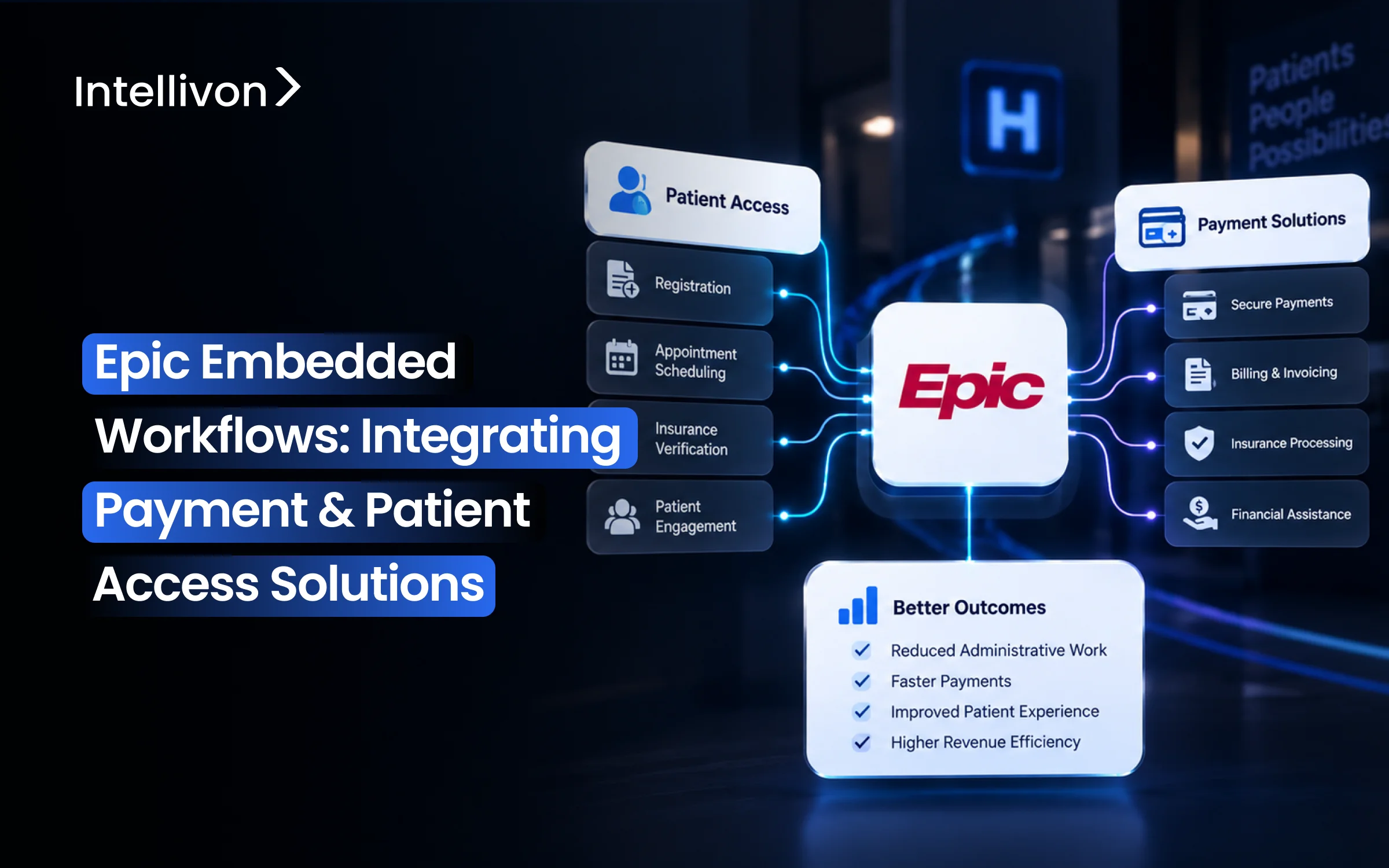
By embedding workflows, Epic has been able to include payment and patient-access tools within MyChart, Hyperdrive, and other Epic workflows that staff and patients currently use.
-
Such workflows include scheduling, registration, eligibility checks, prior authorization, cost estimates, digital payments, payment plans, and payment posting.
-
Various workflows make use of different integration methods, such as SMART on FHIR, FHIR R4, the Epic APIs, HL7, X12, payment gateways, and file-based exchange.
-
The development of a custom Epic embedded workflow usually costs between $70,000 and $300,000, without including the cost of Epic licensing, payment processing fees, and other third-party expenses.
-
What Intellivon does is create the custom integration, workflow, automation, and monitoring features around Epic without taking over its main systems.
A prior authorization request remains in a third-party portal for two days since no one checks a system other than Epic until somebody remembers to log in, which causes the patient’s procedure to be delayed. Epic has built-in workflows to deal with that specific gap by incorporating payment, eligibility, authorization, and check-in directly into the chart rather than requiring staff to go to a separate system.
Nevertheless, the only difference between a connected tool and an embedded one is whether or not it writes back into Epic’s records in real time or merely displays within a frame that someone has to remember to open. This blog therefore looks at the entire range of these options: embedded payment and upfront collection, real-time eligibility and prior authorization, digital check-in and consent, and how each of these is linked to the revenue cycle, together with the architecture and cost involved in building them properly.
At the same time, we have developed built-in integrations with Epic for health systems, eliminating precisely the type of add-on tool that was previously used. As a result, all health systems now have to make the same decision, and it is this decision that forms the starting point of this post.

What Does an Embedded Workflow Actually Mean Inside Epic?
An Epic embedded workflow lets a user complete an outside capability directly from an Epic-controlled screen without switching tools. It preserves the exact patient, encounter, guarantor, or account context needed to finish the task.
Consequently, clinicians, registration staff, or patients take immediate action inside their normal view instead of opening separate portals or re-entering sensitive data.
The global healthcare revenue cycle management market is projected to expand at an 11.8% CAGR through 2030, driven by surging demand for automated patient intake and digital billing workflows, according to Grand View Research.
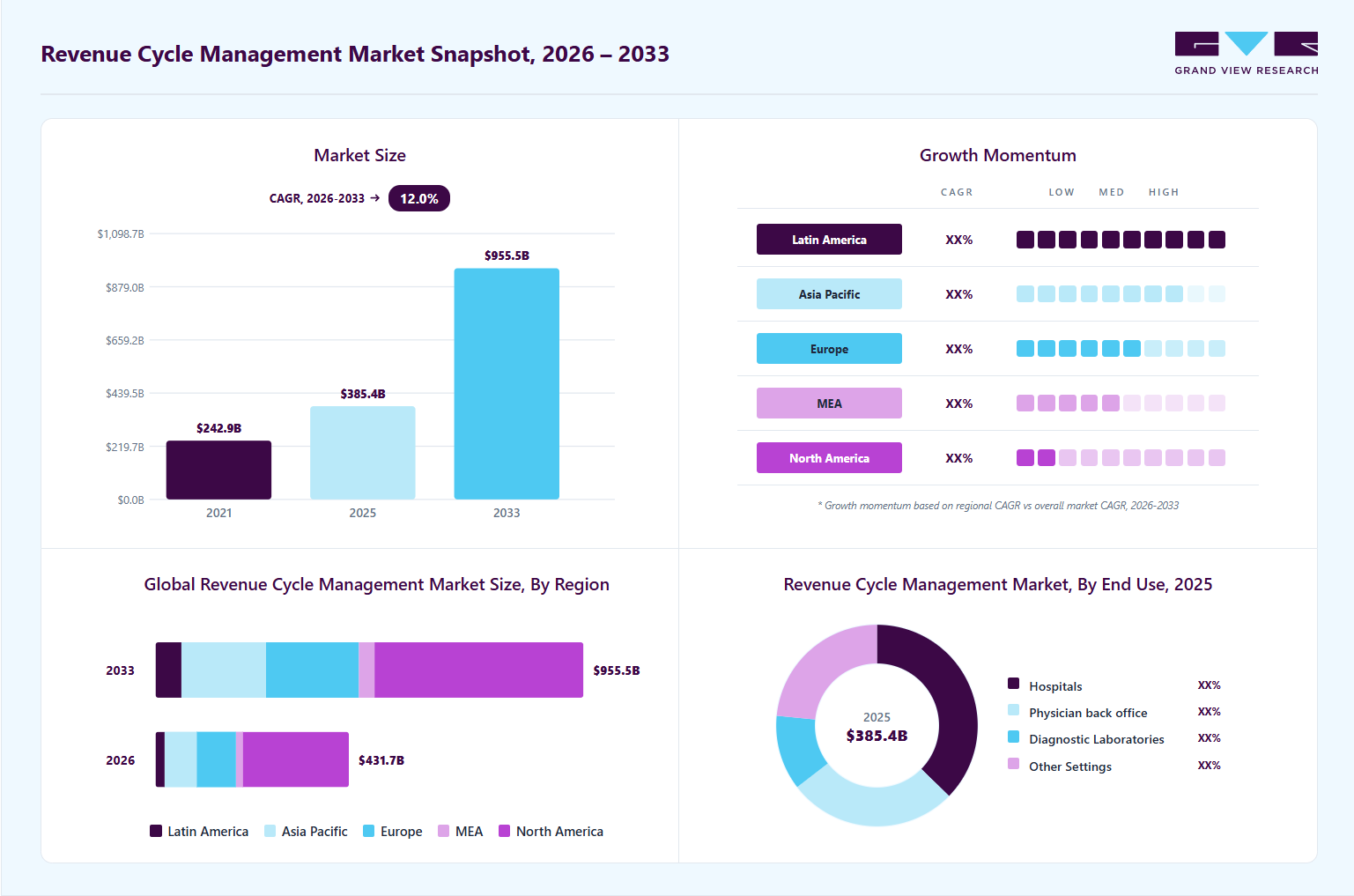
Consequently, health systems are rapidly embedding third-party financial tools into their native EHR interfaces to capture revenue faster and reduce administrative overhead.
An effective Epic embedded workflow design relies on three core layers:
- Embedded User Experience: Staff access tools inside Hyperdrive through a contextual launch, while patients interact with embedded web applications or secure payment pages inside MyChart.
- Embedded Data: The system passes active identifiers automatically, including patient identity, encounter details, guarantor IDs, coverage details, balance amounts, and authorization statuses.
- Embedded Process: A clear operational loop completes the task: an Epic trigger opens the service, the user finishes the action, and the third party writes the updated status back to Epic.
Integrated vs. Embedded: The Core Difference
Many health systems confuse standard integration with a truly embedded user journey. While integration handles background data sync, embedding shapes how and where staff actually do their work.
| Capability | Integrated Only | Truly Embedded |
| User Interface | Staff must open a separate portal or browser tab. | The capability loads directly inside Epic Hyperdrive or MyChart. |
| Context Handling | Users manually search and select the active patient record. | Epic passes patient, encounter, and financial context automatically. |
| Operational Impact | Swapping windows fragments workflows and creates duplicate entries. | Tasks finish inside the active workflow to boost clean-claim rates. |
This distinction directly influences staff efficiency and the patient financial experience. Standard interfaces merely transfer records, but embedded architectures keep users inside their primary software environment.
Designing this foundation properly ensures staff work efficiently and prevents costly manual reconciliation down the road.
Where Do Payment and Patient Access Workflows Live in Epic?
Payment and patient access integrations do not live inside a single Epic module. Instead, they span scheduling, registration, patient self-service, staff intake tools, and core revenue-cycle applications.
Because these activities touch both clinical front desks and back-office billing teams, an embedded architecture must connect multiple specialized Epic environments to preserve data consistency.
To design an effective integration, enterprise teams must map each capability to its native Epic module:
- Cadence: Manages scheduling, direct self-scheduling, referrals, appointment tracking, arrivals, and dynamic wait-list workflows across ambulatory and inpatient settings.
- Prelude: Captures essential patient demographics, guarantor data, coverage records, insurance details, and digital pre-registration information.
- MyChart: Delivers the patient-facing experience for self-scheduling, digital check-in, real-time cost estimates, balances, payment plan creation, and secure communication.
- Hyperdrive: Provides staff with a modern web workspace for contextual vendor launches, front-desk intake, and financial counseling tools.
- Resolute (HB, PB, and SBO): Coordinates hospital billing, professional billing, Single Billing Office self-pay workflows, and automated electronic payment posting.
Epic Module Mapping: Where Outside Payment and Patient Access Services Live
Connecting these workflows requires mapping each operational step directly to its corresponding Epic module and outside service.
The table below outlines where each core capability lives across the enterprise.
| Workflow | Epic Area | Outside Capability |
| Scheduling | Cadence / MyChart | Scheduling service |
| Registration | Prelude / MyChart | Digital registration |
| Eligibility | Patient Access | Payer/eligibility service |
| Authorization | Access / Workqueues | Payer / auth platform |
| Estimates | Access / Revenue Cycle | Estimation engine |
| Payment | MyChart / Resolute | Payment gateway |
| Financing | MyChart / Hyperdrive | Financing platform |
| Posting | Resolute | Payment processor |
Knowing where these operational touchpoints live prevents costly data silos and reduces friction for registration staff. As a result, systems capture clean demographic and financial information long before the clinical encounter occurs.
Connecting these touchpoints correctly sets the stage for choosing the right technical integration pattern.
How Does Epic Embedded Workflow Architecture Work?
A production Epic embedded workflow normally uses separate experience, identity, integration, external-service, transaction, and monitoring layers. Because these tiers handle tasks sequentially, the system securely passes active patient context, runs the third-party service, and updates the core electronic health record without disrupting user focus.
Connecting these components smoothly requires clear operational boundaries between the front-end user interfaces and the back-end transaction pipelines.
The structured table below outlines how each layer functions across an enterprise deployment.
Enterprise Architecture: The Six Production Layers of Epic Embedded Systems
| Architectural Layer | Core Epic Components | Operational Function |
| 1. Epic Experience Layer | MyChart, Hyperdrive, Cadence, Prelude, Resolute | Delivers the native interface where staff and patients initiate tasks without switching windows. |
| 2. Context & Identity Layer | OAuth 2.0, SMART Context, Patient/User/Guarantor IDs | Verifies identity securely while passing the active encounter, appointment, and coverage variables. |
| 3. Integration Layer | Interconnect, FHIR R4, Epic APIs, HL7, X12, REST APIs | Translates requests, enforces system policies, and routes secure calls between platforms. |
| 4. External Service Layer | Payment gateways, financing engines, clearinghouses, auth platforms | Executes specialized third-party business logic, such as card processing or coverage checks. |
| 5. Transaction & Write-Back Layer | Webhooks, write-back APIs, workqueue updates | Posts confirmations, payment references, denial codes, or authorization statuses directly to Epic. |
| 6. Monitoring Layer | Audit trails, retry queues, transaction logging engines | Tracks unique transaction IDs, flags failed calls, and automates real-time financial reconciliation. |
When these six layers work together, systems process financial and registration tasks with minimal latency. Consequently, health systems eliminate manual data entry while maintaining rigorous operational control.
Building a resilient architecture forms the exact technical foundation needed to automate patient intake and revenue-cycle workflows.
Which Epic Integration Method Should Each Workflow Use?
There is no single “Epic integration method.” At the same time, the right approach depends on whether your workflow requires an application launch, standardized data retrieval, transaction processing, payer exchange, event messaging, or financial batch processing.
Therefore, selecting the wrong standard leads to poor staff adoption, data latency, and severe compliance risks.
Connecting these systems cleanly requires matching each task to its optimal integration protocol. The table below outlines how enterprise teams pair Epic interfaces with external capabilities.
Technical Alignment: Mapping Workflow Needs to Epic Integration Methods
| Method | Primary Operational Use | Underlying Mechanism |
| SMART on FHIR | Contextual app launches inside Hyperdrive or MyChart | OAuth 2.0 flow passing patient, encounter, and user scopes |
| FHIR R4 | Standardized patient, encounter, and coverage data retrieval | RESTful resources like Patient, Appointment, and Coverage |
| Epic APIs | Proprietary and module-specific operational tasks | Direct endpoints via Epic Interconnect web services |
| Interconnect | Core middleware connectivity for internal web services | Secure transport gateway linking outside services to Epic |
| HL7 v2 | High-volume event notifications (admissions, discharges, transfers) | Bi-directional message feeds like standard ADT feeds |
| X12 Standards | Clearinghouse and direct payer claims management | EDI transactions, including 270/271 real-time eligibility checks |
| REST & Webhooks | Real-time external platform alerts and processing triggers | Event-driven payloads signaling finished external actions |
| Embedded Payment Pages | Sensitive point-of-sale or online card data intake | Hosted fields isolating PAN data from Epic infrastructure |
| Batch Files | Scheduled financial settlements and clearinghouse reconciliation | Automated SFTP transfers for large-volume ledger files |
SMART on FHIR uses OAuth 2.0 to pass active patient, encounter, and user scopes directly into third-party interfaces. Meanwhile, standard FHIR R4 APIs fetch core resources like Patient, Appointment, and Coverage without custom coding.
However, FHIR does not cover every specialized billing action, which is why legacy HL7 v2 and X12 EDI feeds remain necessary for ADT events and 270/271 payer checks.
Crucially, payment gateway integrations must keep sensitive credit card and bank numbers entirely within the tokenized payment processor environment. Epic should only receive confirmation tokens, transaction references, and approval statuses rather than processing raw card data directly.
How Does CarePayment Embed Patient Financing Inside Epic?
CarePayment provides a clear example of how an outside patient-financing engine embeds across patient-facing and staff-facing Epic workflows. By embedding natively, the platform lets patients resolve out-of-pocket balances through flexible payment terms without forcing billing teams into separate portals.
The integration targets three primary user touchpoints:
- MyChart Self-Service: Patients review their active out-of-pocket balance, select custom financing terms, and complete self-enrollment directly inside the MyChart portal.
- Hyperdrive Staff Workspaces: Financial counselors access a contextual payment calculator inside Hyperdrive that prepopulates the active balance, enabling staff-assisted enrollment in seconds.
- Guest Pay Workflows: Unauthenticated patients access secure payment-plan setup through web links without needing an active MyChart login.
Behind the interface, the architecture orchestrates bi-directional financial data exchange. The platform updates account placement indicators and billing flags in Epic Resolute to pause standard collection paths. Furthermore, automated clearinghouse remittance and electronic payment posting files reconcile settled daily balances.
Note on scale: CarePayment claims deployments across 250+ Epic instances and 3,200+ embedded workflows. However, health systems should evaluate these figures as vendor-published marketing claims rather than independent benchmarks.
Therefore, embedding flexible patient financing inside these native access channels significantly protects health system cash flow while shielding patients from sudden financial distress.
What Data Must Move Between Epic and Outside Platforms?
Every embedded workflow needs a clear data contract defining what Epic sends, what the outside platform owns, and what must return to Epic.
Because mismatched fields break downstream billing, engineering teams must establish strict directionality for every variable before configuring integrations.
Data Directionality Across Embedded Touchpoints
| Data Element | Typical Direction | Primary Purpose |
| Patient, Encounter & Appointment | Epic → External platform | Establishes master patient context and visit links. |
| Coverage & Demographics | Epic → Payer / Vendor | Pre-populates intake and triggers eligibility checks. |
| Balance & Estimate | Epic → Payment service | Loads active self-pay balances and out-of-pocket costs. |
| Payment Result & Plan Status | Gateway / Vendor → Epic | Posts transaction tokens, holds, and ledger updates. |
| Authorization Status | Payer / Vendor → Epic | Writes approval codes directly to access work queues. |
| Communication Status | Bi-directional | Logs outbound notifications and incoming patient replies. |
1. Define the Source of Truth
System integrity fails when platforms fight over who owns the record. Therefore, Epic remains the authoritative owner for patient charts, appointment slots, guarantor balances, and legal consent forms.
Conversely, external payment gateways own tokenized card data, while third-party lenders own consumer financing agreements.
2. Prevent Data Errors
Unsynchronized data leads to duplicate card charges and broken claims. Consequently, teams must enforce exact patient and guarantor matching before presenting balances.
Furthermore, endpoints must use idempotency keys to prevent duplicate transactions during timeouts, alongside real-time balance checks to stop over-collecting.
Defining these contracts protects cash flow while keeping clinical records accurate.
How Do You Secure Embedded Payment and Access Workflows?
Security boundaries should keep Protected Health Information (PHI) and payment data limited strictly to the systems that need them.
Because healthcare workflows combine sensitive clinical histories with financial card data, engineering teams must isolate compliance boundaries to prevent catastrophic data breaches and regulatory fines.
1. HIPAA, SMART, and OAuth Governance
Protecting clinical records requires strict technical controls across all integration points:
- PHI & HIPAA Controls: Systems must enforce the “minimum necessary” rule, mandate Business Associate Agreements (BAAs), log access trails, and encrypt data at rest and in transit via TLS 1.3.
- OAuth 2.0 & SMART Scopes: Contextual launches require Role-Based Access Control (RBAC), short-lived access tokens, strict scope limits, and automatic session terminations.
2. PCI DSS and Financial Compliance
Healthcare leaders must recognize that while HIPAA protects health records, PCI DSS strictly governs payment-card environments. Therefore, engineering teams must use tokenization and hosted payment fields to isolate primary account numbers (PAN) entirely outside the electronic health record.
Furthermore, systems must display clear consumer finance terms, enforce state lending rules, support Good Faith Estimates, and capture immutable e-consent audit trails. Every recorded transaction must identify who initiated the action, the target patient account, exact data moved, execution timestamps, and the final authorization status.
Establishing these safeguards protects patient privacy and shields enterprises from regulatory penalties.
How Do You Implement, Test, and Scale Epic Embedded Workflows?
Implementing, testing, and scaling an Epic embedded workflow requires a structured, multi-phase technical roadmap that isolates risk before touching live production environments.
Because front-end intake directly impacts clinical throughput and daily revenue capture, engineering teams must validate every handshake, edge case, and system boundary systematically.
Step 1: Map the Current Workflow
This step involves documenting existing user journeys, active Epic screens, external browser tools, manual clicks, duplicate data entries, staff handoffs, and known operational failure points. Front-desk staff frequently swap between three or four distinct browser tabs just to register a single patient.
At Intellivon, we observe these operational handoffs directly inside Cadence, Prelude, and Hyperdrive before writing code. Our teams pin down where staff abandon the EHR and eliminate repetitive data entry.
Once the baseline workflow is documented, the engineering team establishes the exact programmatic triggers that initiate the embedded experience.
Step 2: Define the Trigger
This step establishes the operational event that launches the embedded application, such as an appointment booking, registration initiation, eligibility failure, estimate request, patient arrival, or new balance availability. Launching too early clutters the screen, while launching too late interrupts patient intake.
Engineering teams must tie these triggers directly to specific Epic event hooks so third-party microservices render without UI lag. Consequently, Intellivon maps event listeners directly to user actions, ensuring tools load only when operational criteria are met.
After locking the event triggers, technical architects define the boundary of responsibility across all connected applications.
Step 3: Assign System Ownership
This step defines explicit functional boundaries between Epic, clearinghouses, payment gateways, consumer financing platforms, third-party software, and the custom middleware layer. Without defined data boundaries, different databases end up fighting over patient records.
Intellivon builds strict data contracts that establish Epic as the master clinical ledger while offloading card data to PCI-compliant gateways. We make sure each integrated platform manages only the exact records it is authorized to handle.
With system boundaries established, developers select and implement the appropriate interface protocols for data exchange.
Step 4: Build the Integration
This step involves engineering the technical connection using SMART on FHIR, FHIR R4 resources, Epic Interconnect APIs, HL7 v2 feeds, X12 EDI transactions, or secure hosted payment frames. The chosen standard must handle bidirectional synchronization reliably.
Our practice centers on deploying modular, standards-based integration layers that bridge external services into Epic Hyperdrive and MyChart. This architecture protects health systems from breaking changes during semi-annual Epic software updates.
Once data pipelines are active, rigorous quality assurance teams subject the interface to extreme failure scenarios.
Step 5: Test Failure Cases
This step tests real-world edge cases, including mismatched patient records, duplicate payment submissions, stale balances, card declines, refunds, network timeouts, expired OAuth tokens, API dropouts, and third-party vendor outages. Edge cases in healthcare financial workflows directly impact accounts receivable.
To safeguard the transaction layer, Intellivon runs automated failure simulations that inject artificial latency, dropped packets, and expired sessions in sandbox environments. We enforce strict idempotency keys so network timeouts never trigger duplicate patient credit card charges.
Following resilient technical testing, the integration moves to comprehensive user acceptance testing across enterprise stakeholders.
Step 6: Run User Acceptance Testing (UAT)
This step validates the embedded experience with frontline patient access staff, revenue cycle teams, certified Epic analysts, infosec officers, compliance teams, and clinical operations managers. End-user feedback verifies whether the design genuinely speeds up intake workflows.
During this validation cycle, cross-functional hospital teams test daily operational queues to measure clean-claim rates and intake speed. At the same time, Intellivon structures these UAT rounds around measurable KPIs, confirming that daily ledger reconciliations match operational benchmarks before sign-off.
After securing operational sign-off, engineering teams prepare the architecture for multi-facility and multi-instance expansion.
Step 7: Scale Carefully
This step decouples the reusable product core from health-system-specific configurations when deploying across multiple hospitals, service areas, or distinct Epic instances. Deployments often collapse when custom facility rules get hardcoded into the base software.
Intellivon isolates core platform business logic from site-specific client IDs, departmental workflows, and Single Billing Office (SBO) rules via dynamic configuration profiles. Therefore, we help enterprise health systems scale integrations smoothly across multi-hospital networks while honoring local clinic rules.
Following this structured discipline transforms embedded workflows from fragile one-off tools into durable enterprise infrastructure. Executing these steps systematically guarantees reliable uptime, protects revenue cycle operations, and simplifies long-term maintenance.
What Does Epic Embedded Workflow Development Cost in 2026?
Custom Epic embedded workflow development typically costs $70,000–$300,000, excluding Epic licensing, payment processing fees, payer services, and other third-party software costs. However, because technical phases overlap throughout delivery, total enterprise investments consistently remain within this predictable range.
Therefore, engineering teams must plan their capital allocation across each project phase. The table below outlines these typical investment stages.
Implementation Cost Breakdown by Phase
| Project Phase | Typical Budget Range |
| Discovery & Workflow Mapping | $8,000–$20,000 |
| Architecture & Epic Design | $12,000–$30,000 |
| Embedded Application / UI | $15,000–$45,000 |
| FHIR, API & Interface Engineering | $20,000–$70,000 |
| Payment & Access Integrations | $10,000–$45,000 |
| Security, PCI & Compliance | $5,000–$20,000 |
| Testing, UAT & Go-Live Support | $10,000–$35,000 |
Ultimately, total development costs depend on specific technical drivers. For example, supporting both MyChart and Hyperdrive, writing back complex billing rules, and navigating Single Billing Office (SBO) logic increase scope.
As a result, a focused deployment takes 3–9 months, whereas multi-instance rollouts take longer. In addition, annual maintenance averages 15–25% of initial build costs to absorb semi-annual Epic upgrades.
Consequently, establishing transparent budgets across these phases eliminates scope creep and accelerates your return on investment.
Build Epic Embedded Workflows With Intellivon
Modernizing front-end intake requires moving beyond fragmented browser tabs and manual data entry. Therefore, Intellivon builds production-ready integration layers that securely embed third-party fintech and intake tools into Epic Hyperdrive and MyChart.
- SMART on FHIR apps: Contextual launches inside Hyperdrive with secure OAuth 2.0 session handling.
- Payment gateway isolation: Hosted fields that process cards while keeping PAN data outside Epic.
- Bidirectional write-backs: Real-time posting of payment tokens and authorization codes directly to Resolute.
- Intake event triggers: Automated data pipelines connecting Cadence scheduling with Prelude registration.
- Real-time payer checks: Native X12 270/271 eligibility verification embedded within patient work queues.
- Duplicate charge protection: Strict idempotency controls and automated retries for network timeouts.
- Security boundary separation: Complete segregation between HIPAA-covered records and PCI DSS payment environments.
- Multi-facility scaling: Dynamic configuration architectures built to absorb semi-annual Epic version upgrades.
Schedule an architecture review with our healthcare engineering team to evaluate your API roadmap. Let’s build production-grade workflows that drive intake efficiency.
Conclusion
Deploying modern Epic embedded workflows fundamentally bridges the gap between third-party fintech capabilities and native hospital operations. Instead of forcing staff into disconnected portals, these architectures keep patient intake and payment processing within a single screen.
Consequently, health systems eliminate manual data entry, accelerate upfront collections, and protect daily cash flow.
Ultimately, choosing the right interface standards and defining clear data ownership ensures long-term system stability. As a result, enterprises achieve measurable operational efficiency while delivering a simple, transparent financial experience for patients.
FAQs
Q1. Can a Third-Party App Run Inside an Epic Workflow?
A1. Yes, third-party applications can run directly inside Epic workflows through contextual launches. Specifically, teams use SMART on FHIR to embed secure web apps into Hyperdrive for staff or MyChart for patients. However, deployment requires formal Epic App Market approval, security reviews, and custom site configuration.
Q2. Does Every Epic Embedded Workflow Need SMART on FHIR?
A2. No, not every embedded workflow requires SMART on FHIR. While SMART handles contextual user interface launches, backend tasks rely on different standards. For instance, teams use FHIR APIs for data retrieval, X12 for eligibility, HL7 for event notifications, and hosted web frames for sensitive payment collection.
Q3. Can Stripe or Another Payment Gateway Integrate With Epic?
A3. Yes, payment gateways like Stripe can integrate with Epic, although architecture patterns vary by health system. Crucially, the external gateway processes and tokenizes sensitive card data within its own secure environment. Subsequently, Epic receives only transaction approval tokens, confirmation references, and ledger posting details to ensure PCI compliance.
Q4. What Is the Difference Between Epic Integration and Embedding?
A4. Integration means two separate software systems exchange data in the background. In contrast, embedding places outside functionality directly inside the user’s active Epic workflow. Therefore, an application can be integrated to sync records, yet still fail to be embedded if staff must open an external browser tab.
Q5. Can One Application Work Across Multiple Epic Health Systems?
A5. Yes, an application can scale across multiple Epic health systems, but not through an identical configuration. Developers successfully reuse their core product logic, APIs, and data models. Meanwhile, teams must customize specific server endpoints, OAuth credentials, department identifiers, billing structures, and security scopes for each health system client.