Key Takeaways:
-
Epic ClinDoc connects assessments, flowsheets, notes, care plans, orders, MAR data, handoffs, results, and discharge workflows in one system.
-
SmartTools, flowsheets, Rover, and Haiku support both nurse and physician documentation across inpatient EpicCare workflows.
-
AI-assisted documentation, FHIR/HL7 interoperability, and HIPAA audit controls extend ClinDoc capabilities beyond standard configuration options.
-
Scoped ClinDoc optimization, integration, or AI-extension engagements cost $70,000 to $300,000 depending on workflow and integration complexity.
-
How Intellivon builds custom integrations and AI extensions around Epic ClinDoc rather than replacing Epic’s proprietary core documentation system.
Clinical documentation usually sits at the center of patient care quality, compliance, and operational efficiency. However, inpatient teams struggle with fragmented notes, inconsistent workflows, and delayed visibility into a patient’s status. As a result, choosing the right documentation strategy becomes difficult. That gap is where Epic ClinDoc comes in.
Epic ClinDoc is the module clinicians use to write, template, and pull forward clinical notes across every inpatient setting. At the same time, SmartTools like SmartPhrase and SmartText make that process fast. For hospital leaders balancing clinical quality against efficiency goals, ClinDoc offers a unified platform instead of a patchwork of workarounds. In fact, it integrates directly with clinical decision support and existing workflows, making it a lever for performance and staff satisfaction.
In this blog, we’ll cover ClinDoc’s note types, SmartTool configuration, nursing flowsheets, ambient AI integration, and specialty workflows across ICU, ED, and perioperative settings. Additionally, we’ll walk through clinical decision support alerts and what proper implementation actually costs.
What Is Epic ClinDoc and What Does It Actually Do?
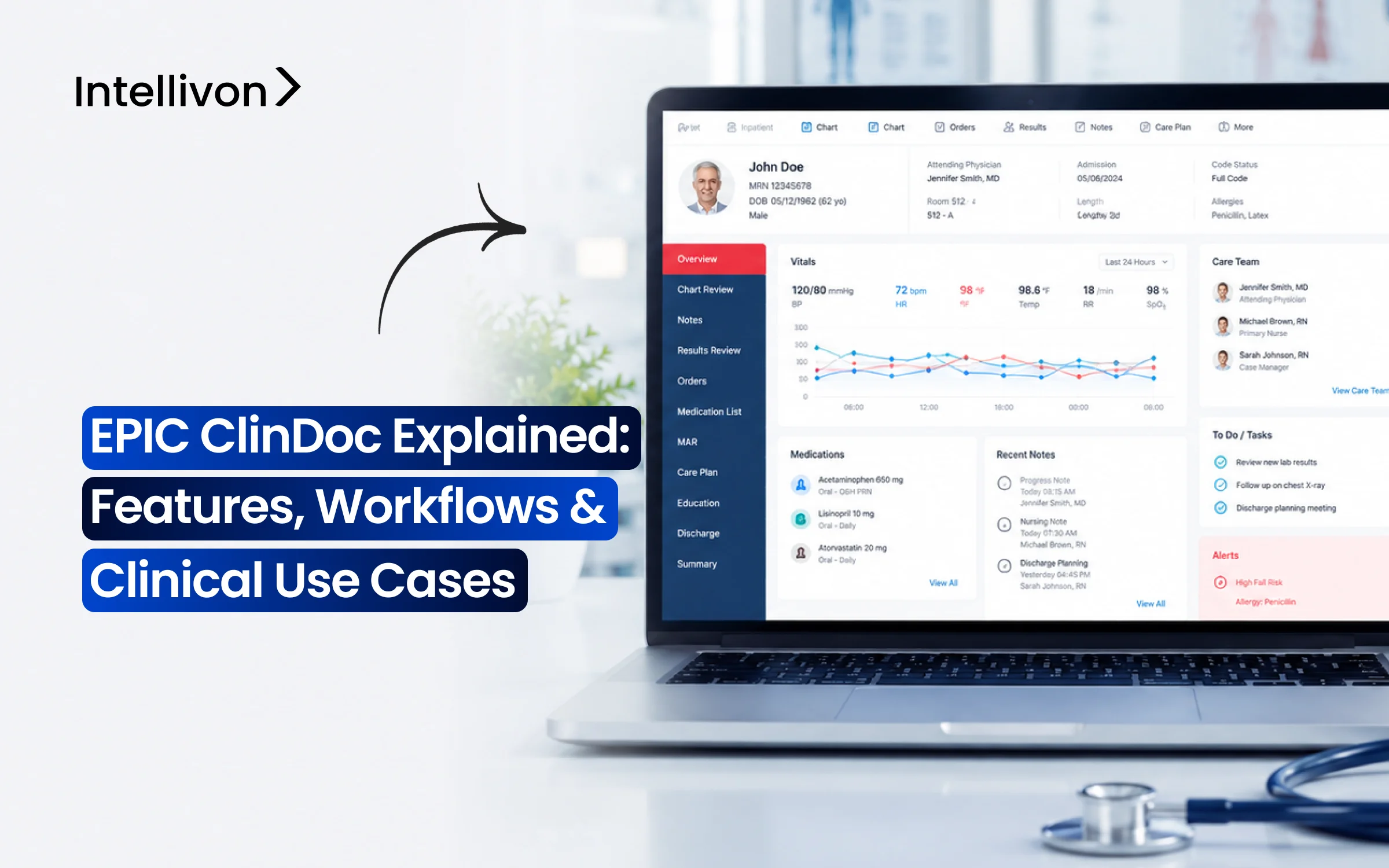
Epic ClinDoc is the clinical documentation engine inside Epic’s inpatient software. Specifically, it provides bedside nurses, hospitalists, and therapists a unified workspace to chart assessments, track vitals, and place computerized orders.
As a result, it converts continuous bedside monitoring into structured records, automated care plans, and real-time safety alerts across an entire hospital admission.
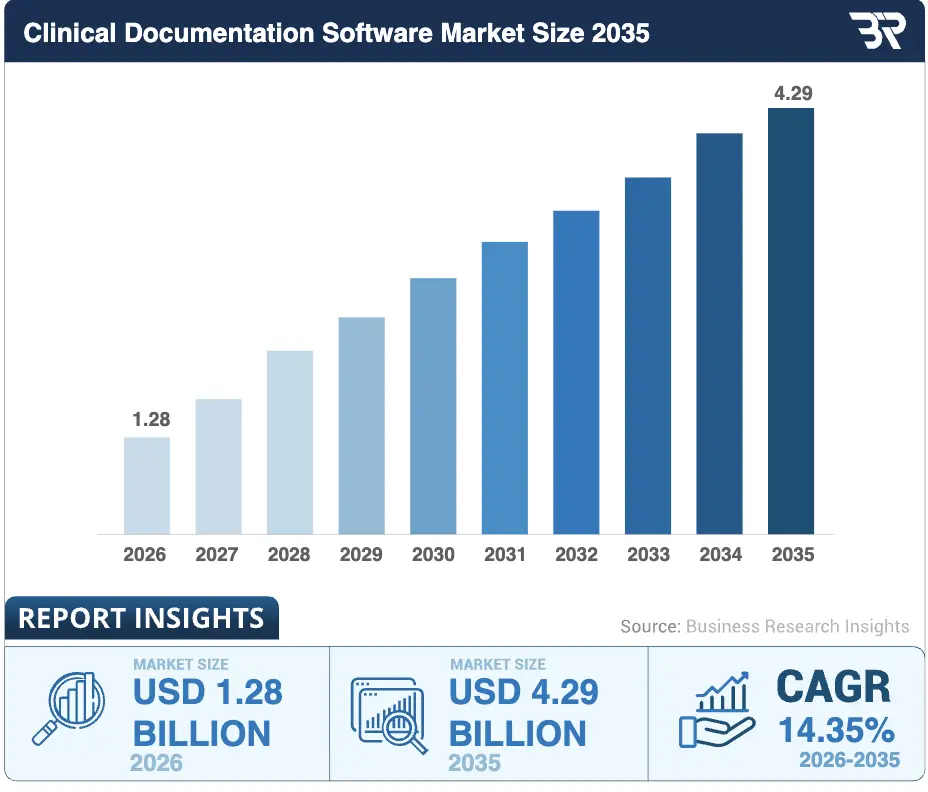
Consequently, rising regulatory compliance mandates and the integration of AI-assisted charting continue to accelerate enterprise adoption across acute inpatient environments.
Epic ClinDoc vs. EpicCare Inpatient
In short, EpicCare Inpatient represents the complete hospital software platform. In contrast, Epic ClinDoc refers specifically to the charting, flowsheet, and clinical assessment toolset built within it.
Epic ClinDoc vs. Epic Ambulatory
Although both modules share Epic’s core database, they support entirely different operational tempos and care environments.
| Feature Area | Epic ClinDoc (Inpatient) | Epic Ambulatory |
| Encounter Type | Continuous admission | Discrete clinic visit |
| Main Workflows | Shift-based multidisciplinary care | Scheduled appointments |
| Primary Documentation | Assessments, flowsheets, MAR, care plans | Visit notes, outpatient orders |
| Main Users | Nurses, hospitalists, intensivists | Clinic teams, PCPs, specialists |
| Operational Intensity | 24/7 continuous monitoring | Scheduled business hours |
Who Uses Epic ClinDoc?
Therefore, ClinDoc supports bedside nurses, nurse managers, hospitalists, intensivists, surgeons, therapists, case managers, CDI specialists, and implementation analysts managing acute care.
Ultimately, Epic ClinDoc provides the operational backbone for acute hospital care. Consequently, configuring its data structures properly reduces charting friction while keeping care teams aligned on real-time patient status.
How Epic ClinDoc Works From Admission Through Discharge
Epic ClinDoc structures continuous patient data across the entire acute hospital journey. Rather than functioning as static digital forms, the platform operates as an active, event-driven timeline.
Consequently, every clinical action, from initial triage to final departure, updates the central database in real time to coordinate care, guide clinical decisions, and maintain regulatory compliance.
1. Admission and Initial Assessment
First, ADT context automatically populates patient demographics and room assignments upon arrival. Bedside nurses then perform medication and allergy reconciliation, document social histories, and complete required admission assessments.
Simultaneously, admitting providers establish the initial active problem list and launch standardized admission order sets to initiate inpatient care.
2. Ongoing Shift Documentation
Throughout each shift, nurses track vitals, fluid intake and output, and Lines, Drains, and Airways (LDAs) via specialized flowsheets.
In addition, staff log regular reassessments, verify medication administration on the eMAR, and update multidisciplinary care plans. As a result, time-stamped clinical entries continuously refresh unit quality monitors and safety checklists.
3. Physician Documentation and Orders
Meanwhile, rounding hospitalists and specialists generate structured admission, daily progress, consultation, and operative notes. Providers quickly pull real-time discrete data into their assessment and plan sections using dynamic SmartTools.
Furthermore, clinicians place CPOE requests directly through evidence-based order sets to streamline medication, laboratory, and imaging workflows.
4. Handoffs and Care-Team Coordination
During shift transitions, multidisciplinary teams use standardized SBAR or I-PASS handoff tools within the patient summary. These dynamic dashboards automatically highlight pending orders, critical lab trends, and acute clinical status changes.
Therefore, incoming clinicians maintain unbroken situational awareness without hunting through disconnected chart tabs.
5. Discharge Documentation
Finally, the discharge process unifies the clinical narrative through a formal discharge summary and final medication reconciliation.
Clinicians generate customized, patient-friendly instructions, educational materials, and post-acute follow-up appointments.
Afterward, the system packages this transition-of-care data for downstream primary care providers and electronic health information exchanges.
Ultimately, tracking this longitudinal workflow ensures patient data flows smoothly across every clinical handoff. Next, we examine the core architecture and feature sets that power these real-time documentation capabilities.
Core Epic ClinDoc Features Used in Inpatient Care
Epic ClinDoc delivers specialized toolsets that capture discrete clinical data while keeping acute workflows organized. Instead of relying on unstructured narratives, the platform organizes bedside observations into standardized fields.
Consequently, these core features improve documentation accuracy, accelerate multidisciplinary communication, and power downstream analytics across health systems.
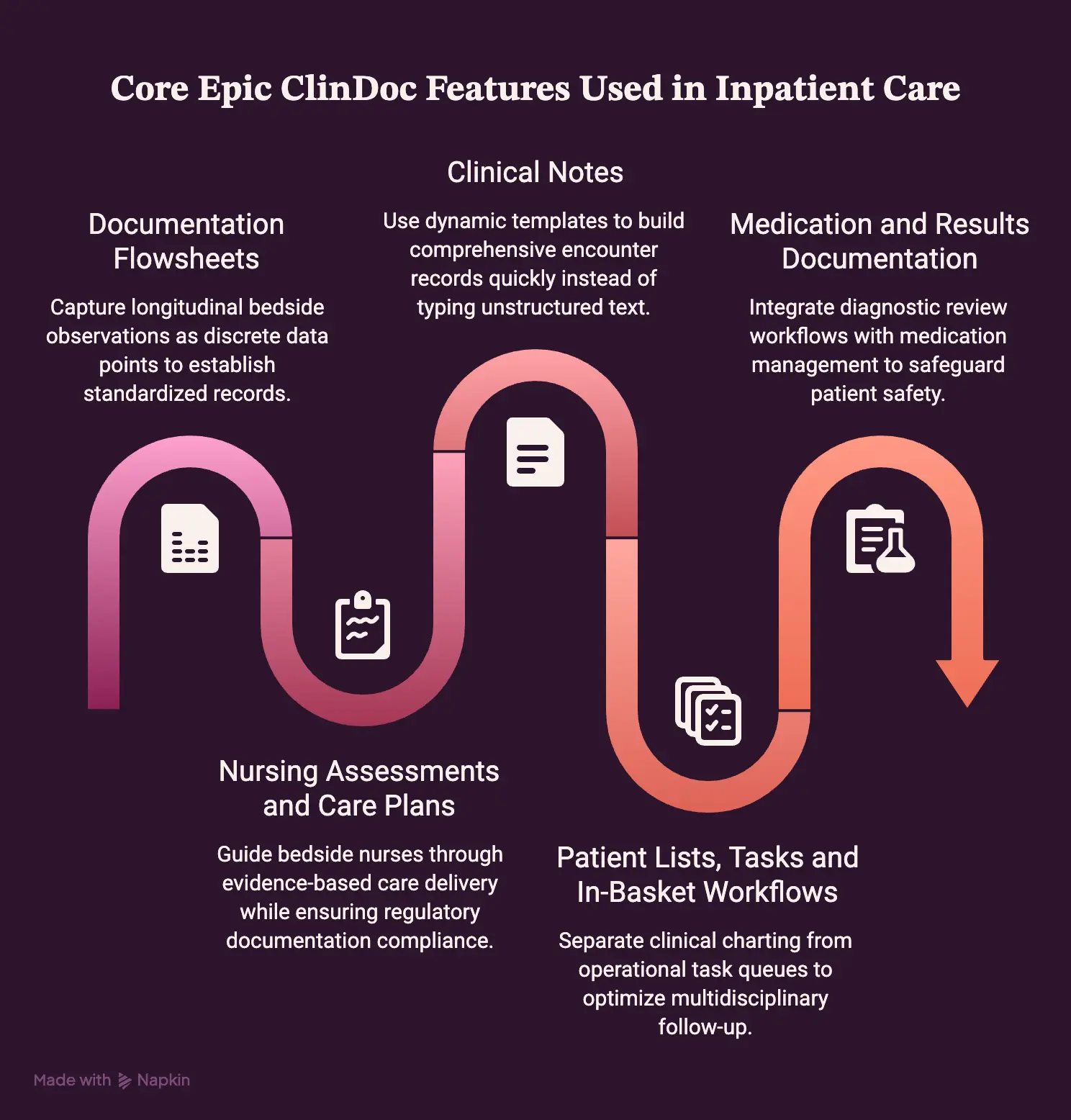
1. Documentation Flowsheets
Flowsheets capture longitudinal bedside observations as discrete data points, establishing standardized records that feed analytics engines like Epic Clarity and Caboodle.
- Flowsheet Rows & Groups: Individual parameters (FLO records) nested within logical clinical groupings.
- Pre-built Templates: Standardized forms optimized for rapid bedside data entry.
- Longitudinal Tracking: Continuous logging of vital signs, fluid intake and output, and LDAs.
- Assessment Forms: Tailored data capture tools supporting clinical quality reporting.
2. Nursing Assessments and Care Plans
These tools guide bedside nurses through evidence-based care delivery while ensuring full regulatory documentation compliance.
- Nursing Diagnoses & Goals: Problem-specific targets established directly at admission.
- Standard Interventions: Protocol-driven tasks linked to active inpatient clinical problems.
- Outcome Measurement: Continuous tracking to determine if specific patient targets are met.
- Mandatory Reassessments: Automated triggers reminding staff to document required shift evaluations.
3. Clinical Notes
Rather than typing unstructured text, clinicians use dynamic templates to build comprehensive encounter records quickly.
- SOAP & Progress Notes: Standardized daily templates summarizing overnight events and objective data.
- Admission & Consult Notes: Detailed specialty records pulling historical and demographic data automatically.
- Operative & Procedure Notes: Time-sensitive documentation logging operative findings and surgical steps.
- Discharge Summaries: Synthesized transition records compiling hospital courses and post-acute instructions.
4. Patient Lists, Tasks and In-Basket Workflows
ClinDoc separates clinical charting from operational task queues to optimize multidisciplinary follow-up.
- Dynamic Patient Lists: Unit-level rosters showing real-time bed status and acuity scores.
- Work Management: Actionable shift task lists detailing due nursing interventions.
- In-Basket Routing: Unified inboxes organizing staff messages, lab notifications, and consult requests.
- Follow-up Tracking: Visual flags indicating outstanding orders requiring clinical action.
5. Medication and Results Documentation
The platform tightly integrates diagnostic review workflows with medication management to safeguard patient safety.
- eMAR Verification: Barcode-assisted medication administration tracking exact dosage and administration times.
- CPOE Linking: Real-time visibility into active medication, laboratory, and imaging orders.
- Results Review: Unified diagnostic consoles tracking lab trends and imaging reports.
- Critical Value Alerts: Mandatory acknowledgment workflows alerting clinicians to severe diagnostic abnormalities.
Together, these integrated tools transform bedside charting into a unified, high-reliability data stream.
How Nursing and Physician Workflows Differ in Epic ClinDoc
Nursing and physician roles operate on fundamentally different clinical cadences within Epic ClinDoc. Specifically, bedside nurses require continuous, shift-based tracking tools for high-frequency interventions and safety verifications.
In contrast, physicians rely on synthesis-heavy interfaces designed for rapid diagnostic review, decision-making, and order placement.
1. Epic ClinDoc Nursing Documentation Workflow
Inpatient nursing tracks continuous bedside care, requiring structured flowsheets, barcode verification, and protocol-driven reassessments throughout a twelve-hour shift.
- Head-to-Toe & Pain Assessments: Baseline system evaluations combined with scheduled numeric or FLACC pain scores.
- Continuous Monitoring: High-frequency logging of vital signs, fluid intake and output, and titration rates.
- Wounds & LDAs: Discrete tracking of line insertions, surgical drain outputs, airway settings, and wound staging.
- eMAR & Care Plans: Real-time medication administration verification alongside standardized nursing interventions.
2. Epic ClinDoc Physician Documentation Workflow
Inpatient providers focus on high-level clinical synthesis, diagnostic interpretation, and medical-legal documentation across rounding schedules.
- History & Physical (H&P): Comprehensive admission workups establishing diagnostic baselines and initial clinical trajectories.
- Daily Progress Notes: Structured SOAP documentation capturing overnight clinical events and interval changes.
- Assessment & Plan: Problem-oriented clinical synthesis pulling real-time lab and imaging data automatically.
- CPOE & Consults: Direct placement of multidisciplinary order sets and structured specialty consultation requests.
3. Shift Handoffs and Interdisciplinary Documentation
Multidisciplinary care teams converge around standardized handoff dashboards to eliminate communication silos between shifts and specialties.
- Standardized SBAR Summaries: Structured shift-to-shift handoffs highlighting pending diagnostics and acute patient status changes.
- Interdisciplinary Convergence: Unified chart visibility allowing physical therapy, pharmacy, case management, and physicians to track nursing interventions instantly.
4. Mobile Documentation With Rover and Haiku
Mobile interfaces extend ClinDoc workflows directly to the point of care, untethering clinicians from stationary desktop workstations.
- Epic Rover for Nursing: Handheld barcode medication administration, real-time vital sign charting, and specimen collection verification.
- Epic Haiku for Physicians: Secure smartphone access for rounding reviews, diagnostic results monitoring, and clinical messaging.
For a deeper breakdown of bedside and physician mobile workflows, see our guide on Epic Rover and Haiku clinical workflows.
Ultimately, tailoring ClinDoc to these distinct operational tracks directly improves documentation accuracy across units.
How AI and Ambient Documentation Fit Into Epic ClinDoc
AI is rapidly shifting Epic ClinDoc from manual keyboard entry toward automated, ambient data capture. Specifically, conversational AI listens at the bedside, extracts clinical entities, and generates structured notes and order suggestions for review.
Consequently, these tools reduce after-hours charting friction while maintaining documentation accuracy across inpatient settings.
1. Native Epic AI Charting
Epic released native AI Charting within its Art suite in February 2026, followed by nursing rollouts of Chart with Art at Mount Sinai Medical Center in August 2026.
- Ambient Encounter Capture: Continuously processes natural patient-clinician bedside dialogue.
- Automated Note Drafting: Synthesizes conversational context directly into structured inpatient note formats.
- Order Suggestions: Queues relevant lab, imaging, and medication orders for provider confirmation.
- Conversational Editing: Allows clinicians to modify note layout and styling using simple voice instructions.
2. Third-Party Ambient AI Integrations
Health systems also connect specialized third-party ambient scribes into ClinDoc via standardized FHIR APIs and vendor integrations.
- Abridge: Generates structured clinical summaries linked directly to auditable source conversation snippets.
- Nuance DAX / Dragon Medical One: Integrates conversational documentation alongside established medical dictation workflows.
- Suki: Delivers multi-modal ambient documentation and clinical task management across diverse specialties.
3. Speech Recognition vs. Generative Ambient AI
Traditional medical speech recognition simply converts spoken dictation into verbatim text.
In contrast, generative ambient AI listens to unstructured multi-party bedside dialogue, filters conversational noise, and summarizes the encounter into standard clinical sections.
4. How AI-Generated Notes Reach ClinDoc
Ambient systems route conversational audio through a structured pipeline before writing back to Epic’s database.
- Audio Capture & ASR: Acoustic sensors capture encounter dialogue and convert speech to raw text.
- Clinical NLP & LLM Parsing: Healthcare-trained models extract clinical entities, symptoms, and plans.
- Structured Draft Generation: Algorithms format extracted data into standardized SOAP or progress notes.
- Clinician Review & Write-Back: Providers verify the draft before committing signed records via FHIR APIs into ClinDoc.
- Immutable Audit Trail: Epic logs timestamps, model identifiers, and provider edits to ensure HIPAA compliance.
For a deeper breakdown of this architecture, see our guide on integrating ambient AI scribes with Epic and Cerner.
5. Why Human Review Still Matters
Despite significant time savings, human oversight remains critical to prevent downstream clinical errors.
- Clinical Verification: Clinicians must verify precise medication doses, symptom laterality, and allergy updates.
- Negation & Hallucination Prevention: Direct review ensures the model does not chart unsupported diagnoses or misunderstand denied symptoms.
- Proven Burnout Reduction: An Epic Signal documentation study showed Dragon Medical One reduced charting time by 0.50 minutes per encounter, while a multicenter JAMA Network Open clinical study found ambient scribes decreased clinician burnout from 51.9% to 38.8%.
Ultimately, ambient AI fundamentally changes how inpatient data enters the electronic health record.
Epic ClinDoc Use Cases Across Major Clinical Settings
Epic ClinDoc adapts its documentation architecture to meet the unique clinical rhythms of diverse inpatient departments. Rather than forcing a single rigid template across the hospital, the platform provides tailored flowsheets, specialized safety monitors, and department-specific toolsets.
Consequently, clinical teams capture discrete, compliant data whether managing rapid trauma resuscitations or continuous critical care.
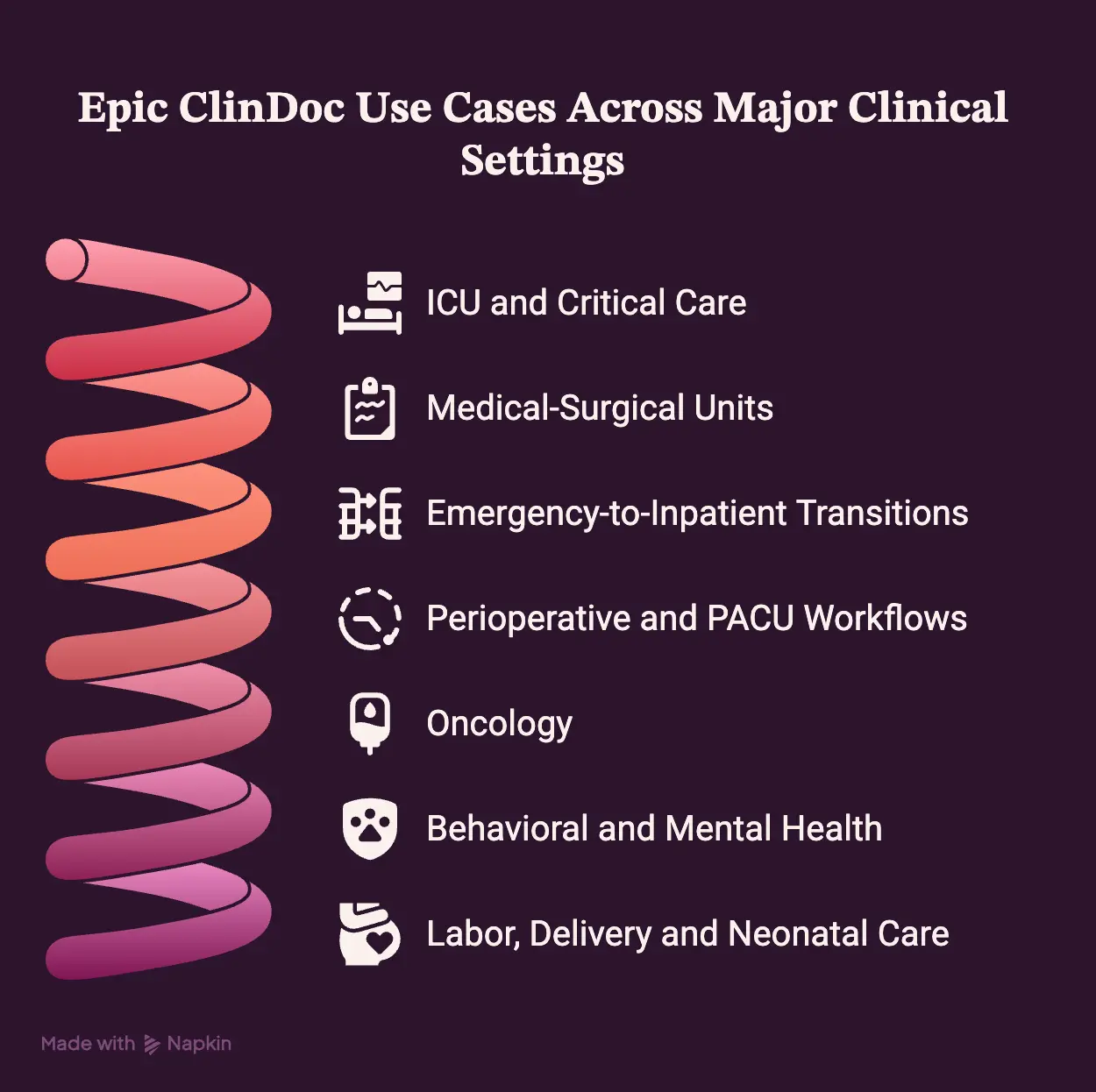
1. ICU and Critical Care
Intensive care units rely on high-frequency data streams, specialized titration monitors, and automated clinical deterioration tools.
- High-Frequency Monitoring: Continuous minute-by-minute tracking of complex vital signs and arterial lines.
- Ventilator & LDA Flowsheets: Structured logging of respiratory parameters, airway pressures, and invasive line sites.
- Continuous Infusion Titration: Precise charting of vasoactive drips and sedation rates linked directly to the eMAR.
- Neurological & Sepsis Tracking: Hourly Glasgow Coma Scale assessments paired with real-time Best Practice Advisories (BPAs) for clinical deterioration.
2. Medical-Surgical Units
General med-surg units prioritize structured patient mobility tracking, standardized shift reassessments, and discharge milestones.
- Shift Assessments: Head-to-toe baseline documentation paired with scheduled pain evaluations.
- Safety Protocols: Discrete tracking of fall risk scores, skin breakdown staging, and hospital-acquired infection prevention checklists.
- Care Plan Milestones: Daily tracking of patient care goals, functional progression, and transition readiness.
3. Emergency-to-Inpatient Transitions
Emergency departments manage rapid triage inside Epic ASAP before transitioning patients seamlessly into ClinDoc.
- ASAP-to-ClinDoc Handoff: Triage vitals, trauma flowsheets, and initial emergency medication records transfer automatically into inpatient charts.
- Admission Order Activation: Inpatient admission order sets activate automatically once bed placement confirms the transfer.
4. Perioperative and PACU Workflows
Surgical suites link intraoperative tracking in Epic OpTime directly with post-anesthesia recovery charting.
- OpTime & Anesthesia Integration: Preoperative checklists and intraoperative surgical timestamps bridge directly into recovery flowsheets.
- PACU Phase Tracking: Structured Aldrete scoring, pain management, and postoperative wound assessments determine readiness for floor transfer.
5. Oncology
Cancer care units combine standard inpatient tools with specialized oncology workflows from Epic Beacon.
- Beacon Regimen Coordination: Dual-nurse verification flowsheets for high-risk chemotherapy administration.
- Toxicity & Infusion Tracking: Structured monitoring of adverse reactions, extravasation checks, and longitudinal symptom scales.
6. Behavioral and Mental Health
Psychiatric units utilize specialized safety tracking tools and mental health assessment templates.
- Safety & Observation Tracking: Automated 15-minute rounding timers and patient belongings inventories.
- Clinical Screening: Structured suicide risk assessments (C-SSRS) and crisis prevention plan documentation.
7. Labor, Delivery and Neonatal Care
Maternity and neonatal departments integrate ClinDoc with Epic Stork for specialized maternal-infant tracking.
- Epic Stork Workflows: Partogram labor progression tracking, fetal heart rate monitoring, and delivery documentation.
- Neonatal Flowsheets: Specialized APGAR scoring, thermal management records, and newborn weight-loss tracking tools.
Ultimately, configuring these specialized workflows prevents clinical documentation silos across hospital departments.
Epic ClinDoc Architecture, FHIR, HL7, and EHR Integrations
Epic ClinDoc operates as a connected data hub rather than an isolated clinical application. Specifically, it receives demographic feeds, issues computerized orders, and exchanges discrete findings across enterprise modules and third-party tools.
Consequently, maintaining robust HL7 and FHIR interoperability pipelines ensures clinical notes and real-time bedside observations synchronize safely across the healthcare ecosystem.
1. ClinDoc Inside the Epic Application Ecosystem
ClinDoc sits at the center of hospital data flow, coordinating directly with specialized upstream and downstream operational modules.
- Upstream Admissions: Grand Central and Prelude handle bed placement and ADT registration data.
- Order & Diagnostic Execution: CPOE routes medication requests to Willow Pharmacy and diagnostic orders to Beaker (Lab) and Radiant (Radiology).
- Point of Care & Patient Access: Bedside data flows instantly to Rover and Haiku mobile tools, downstream MyChart patient portals, and Caboodle reporting repositories.
2. FHIR and SMART on FHIR
Modern clinical integrations use RESTful FHIR APIs to securely exchange discrete inpatient documentation and launch embedded applications.
- Security & Auth: OAuth 2.0 authenticates SMART on FHIR app launches directly inside provider chart workspaces.
- Clinical Resources: REST APIs exchange discrete clinical payloads using Encounter, Observation, DocumentReference, and DiagnosticReport resources.
- Backend Services: Automated system-level FHIR pipelines extract continuous inpatient data for bulk population health analytics.
3. HL7 v2 Interfaces
Health systems continue to rely on high-volume HL7 v2 messaging standards for legacy infrastructure and real-time device feeds.
- ADT Feeds: Inpatient registration, room transfers, and discharge events synchronize via standard HL7 ADT messages.
- ORU Feeds: External lab instruments, bedside monitors, and specialized documentation platforms ingest observational results using HL7 ORU message formats.
4. Third-Party Clinical Applications
Third-party software connects directly with ClinDoc to augment clinical decision-making and operational tracking.
- Embedded AI & Scribes: Point-of-care tools analyze clinical narratives and suggest documentation updates in real time.
- RPM & Advanced Analytics: Specialized remote patient monitoring feeds and predictive clinical decision-support algorithms deliver automated risk alerts.
5. Read vs. Write-Back Architecture
Extracting clinical chart data is structurally simpler than safely committing new documentation back into the patient record.
- Read-Only Ingestion: External applications consume read-only FHIR resources without altering clinical records or triggering medical-legal risk.
- Controlled Write-Back: Filing notes or discrete flowsheet rows back into Epic requires strict data validation, schema mapping, duplicate checking, and provider sign-off.
For the wider interoperability architecture, see our guide on building healthcare interoperability solutions.
Ultimately, configuring secure integration pipelines ensures ClinDoc communicates cleanly with third-party software and enterprise applications.
Security, Compliance and Documentation Governance in ClinDoc
Deploying Epic ClinDoc does not automatically guarantee regulatory compliance on its own. Rather, health systems must actively configure strict access controls, maintain comprehensive audit trails, and govern clinical workflows.
Consequently, establishing rigorous documentation governance ensures inpatient data remains protected, clinically accurate, and fully compliant with HIPAA and ONC standards.
1. PHI Access and Role-Based Permissions
Health systems enforce the principle of least privilege by restricting chart visibility based on verified operational roles and department assignments.
- Role-Based Security: Custom user security classes restrict chart access strictly to the clinical scope of practice.
- Context-Driven Restrictions: Department-level filtering prevents unauthorized staff from viewing sensitive behavioral health or VIP records.
- Authentication Controls: Multi-factor authentication (MFA) protects workstation logins across Hyperspace desktop, Haiku, and Rover mobile applications.
- Session Management: Automated workstation timeouts terminate inactive sessions to prevent unauthorized physical chart access at the bedside.
2. Audit Trails and Clinical Accountability
ClinDoc captures an immutable digital record of every chart interaction to ensure complete legal and clinical accountability.
- Granular Access Logging: The system records every chart view, note revision, print request, and data export.
- Attribution & Timestamps: Exact author identities and cryptographic timestamps attach automatically to every clinical entry.
- Version History: Comprehensive change logs track discrete edits, revisions, and electronic signatures over time.
3. Documentation Quality and Regulatory Reporting
Structured documentation governance ensures clinical notes support downstream medical coding, quality metrics, and regulatory compliance mandates.
- Quality Measure Compliance: Structured flowsheet data feeds automated reporting for CMS quality programs and Joint Commission standards.
- CDI & Coding Alignment: Real-time documentation queries help clinicians clarify diagnoses to reflect true patient acuity.
- ONC Certification: Maintaining compliance with ONC criteria ensures standardized electronic health data exchange and audit readiness.
4. Ambient AI Governance
Integrating ambient AI charting requires specialized governance frameworks to safeguard conversational audio and clinical outputs.
- Consent & Audio Policies: Protocol-driven patient consent capture paired with strict zero-retention policies for raw audio recordings.
- Vendor BAAs & Routing: Formal Business Associate Agreements governing encrypted, HIPAA-compliant PHI data routing.
- Mandatory Clinician Sign-Off: Clinicians must independently review and sign all AI-generated drafts to prevent unverified data filing.
- Output Auditability: Traceable metadata logs link every AI-suggested statement directly to underlying encounter context.
Ultimately, proactive data governance transforms ClinDoc from a standard medical record into a secure, audit-ready clinical environment.
Epic ClinDoc Implementation Roadmap: From Build to Go-Live
Deploying or optimizing Epic ClinDoc requires a structured clinical engineering methodology rather than simple software installation. Specifically, a successful initiative demands strict alignment between bedside workflows, data architecture, interface testing, and clinician change management.
For example, a focused ClinDoc optimization or third-party integration project runs on a 3- to 8-month timeline. In contrast, a net-new, enterprise-wide Epic installation represents a multi-year, multi-application program.
Here is how Intellivon guides health systems through each phase of the implementation roadmap from initial scoping to long-term post-go-live stabilization.
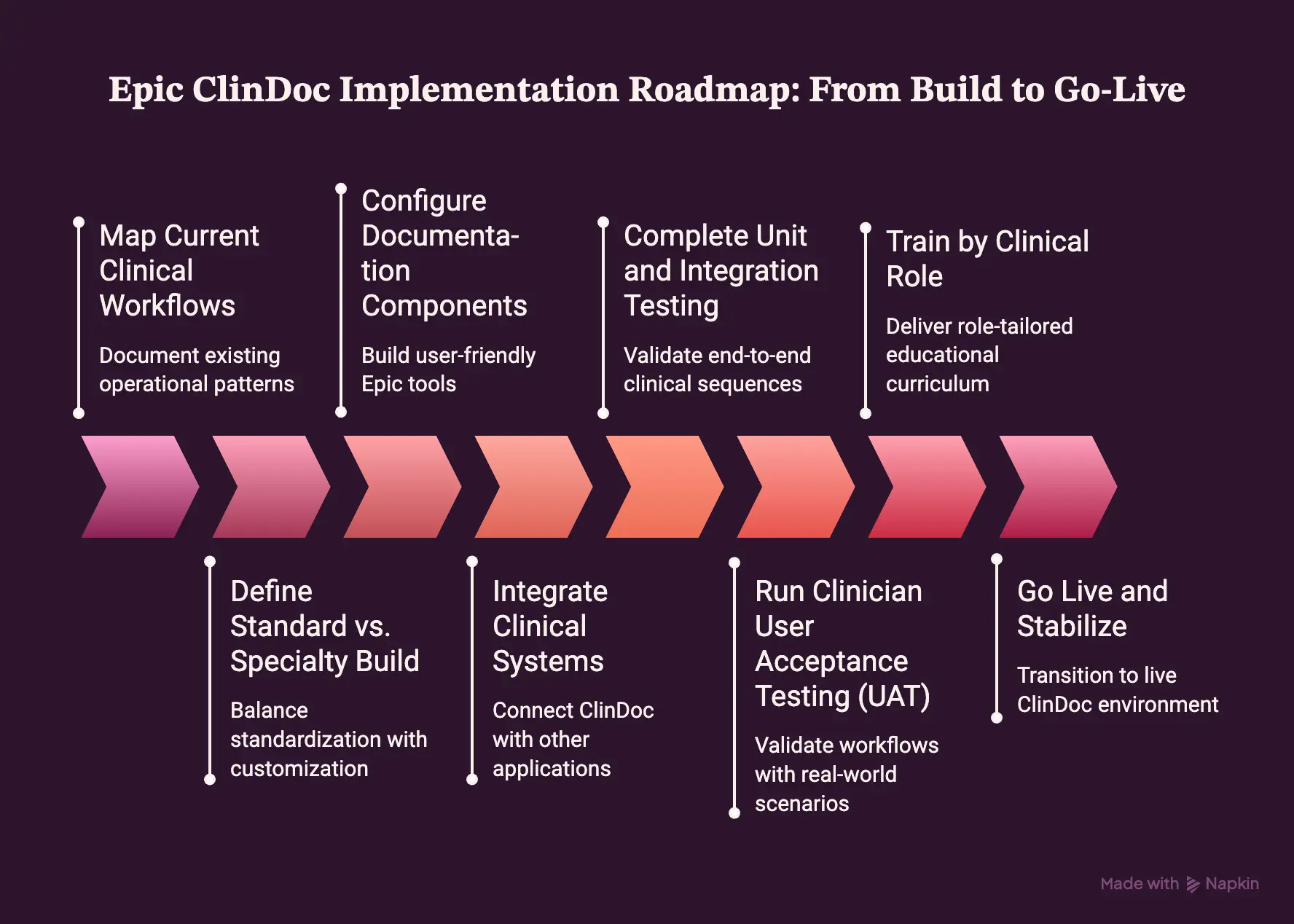
Step 1 — Map Current Clinical Workflows
Before writing any configuration code, teams must first document existing multidisciplinary operational patterns across inpatient departments.
- Multidisciplinary Workflow Audits: First, map handoffs, rounding schedules, and documentation touchpoints across nursing, hospitalists, pharmacy, therapy, and case management.
- Bottleneck Identification: Next, pinpoint redundant charting steps, excessive copy-paste practices, and friction points in order communication.
- Baseline Metrics Capture: Consequently, measure initial time-in-notes, after-hours charting hours, and documentation error rates to benchmark post-go-live ROI.
Therefore, Intellivon conducts hands-on observational shadowing across acute units to build detailed baseline workflow maps. In turn, our clinical analysts translate real-world operational friction into technical requirements before build activities start.
As a result, this workflow baseline directly informs how your organization structures enterprise-wide versus department-specific documentation templates.
Step 2 — Define Standard vs. Specialty Build
Health systems must carefully balance organizational standardization with the specialized documentation needs of distinct acute care units.
- Enterprise-Wide Baselines: First, standardize core nursing shift assessments, vital sign flowsheets, code-status capture, and institutional discharge forms.
- Department-Specific Customization: Meanwhile, isolate specialty variations for ICU titration, oncology chemotherapy dual-verification, NICU growth tracking, and behavioral health rounding.
- Governance Boundaries: In addition, establish strict change-control rules to prevent unchecked template proliferation across hospital departments.
Consequently, Intellivon chairs clinical design committees to establish clear build boundaries between shared inpatient baselines and unit-level customizations. Thus, we eliminate duplicate templates early, ensuring long-term maintenance overhead stays minimal.
Once design standards are locked, technical teams can smoothly move into configuring discrete documentation components inside Epic.
Step 3 — Configure Documentation Components
Building the clinical workspace involves translating clinical guidelines into discrete, user-friendly Epic documentation tools.
- Flowsheet Architecture: First, configure standardized flowsheet templates, groups, and discrete rows (FLO records) for longitudinal data capture.
- SmartTools & Templates: Next, build curated SmartPhrases, SmartTexts, dynamic SmartLinks, and SmartForms to accelerate clinical note composition.
- Clinical Decision Support (CDS): In addition, configure Best Practice Advisories (BPAs) and safety alerts tailored to suppress alert fatigue while protecting patient safety.
Furthermore, Intellivon engineers modular documentation templates, dynamic Navigators, and streamlined SmartTools tailored to clinician specialties. Hence, we configure discrete data fields that automatically feed enterprise analytics repositories like Epic Clarity and Caboodle.
After documentation elements are built, engineers must subsequently wire them to upstream and downstream clinical applications.
Step 4 — Integrate Clinical Systems
Inpatient documentation tools must actively communicate with pharmacy, laboratory, imaging, bedside biomedical devices, and third-party AI platforms.
- Internal Epic Module Bridging: First, connect ClinDoc with Willow (Pharmacy), Beaker (Laboratory), Radiant (Radiology), and Grand Central (ADT).
- Biomedical Device Connectivity: Simultaneously, establish real-time HL7 feeds to stream data directly from bedside vitals monitors, ventilators, and infusion pumps.
- Third-Party AI & FHIR Interfaces: Finally, deploy RESTful FHIR endpoints and SMART on FHIR containers for ambient AI scribes and external decision-support algorithms.
Accordingly, Intellivon builds and validates custom HL7 v2 pipelines and bidirectional FHIR interfaces for third-party clinical software and ambient scribes. Therefore, our integration engineers ensure write-back routines validate data payloads completely before committing records to the chart.
With interfaces established, testing teams can now systematically validate end-to-end clinical sequences across all connected platforms.
Step 5 — Complete Unit and Integration Testing
Validating an inpatient documentation system requires testing realistic, end-to-end clinical sequences rather than inspecting isolated software screens.
- Order-to-Administration Verification: First, validate the complete workflow: physician order entry, Willow pharmacy verification, nurse barcode scan, eMAR record, and flowsheet documentation.
- Critical Value Escalation: Next, test automated alert routing from Beaker lab panic values directly to physician In-Basket queues and mobile push notifications.
- Downstream Data Synchronization: In turn, verify that flowsheet entries update multidisciplinary care plans and transition-of-care discharge summaries accurately.
Consequently, Intellivon executes comprehensive multi-system integration testing scripts that simulate acute clinical emergencies. Thus, we verify that data flows cleanly across interfaces under peak transactional loads without dropping packets.
Once integration pipelines pass technical validation, actual clinicians must then test the system under realistic operational pressure.
Step 6 — Run Clinician User Acceptance Testing (UAT)
User Acceptance Testing validates that configured workflows match real-world inpatient operating speeds and clinical reasoning patterns.
- Scenario-Based Testing: First, run multidisciplinary simulation scenarios covering ICU admissions, med-surg transfers, rapid trauma arrivals, and complex discharges.
- Friction & Usability Audits: Meanwhile, track mouse clicks, navigation depth, and screen transitions to identify ergonomic and cognitive pain points.
- Defect Remediation: Afterward, triage, log, and resolve configuration errors, broken data pulls, and confusing SmartList prompts prior to end-user training.
Therefore, Intellivon facilitates hands-on UAT simulation labs with bedside nurses, hospitalists, and informaticists. As a result, we refine layout ergonomics and template phrasing based directly on frontline feedback to maximize clinical usability.
Subsequently, successful UAT clearance triggers the structured training phase for project teams and operational clinical staff.
Step 7 — Train by Clinical Role
Effective training requires a role-tailored educational curriculum rather than generic, one-size-fits-all software walkthroughs.
- Project Team Foundations: First, ensure technical build teams and clinical informaticists complete formal application training prior to system configuration.
- Role-Specific End-User Tracks: Next, deliver dedicated, hands-on training tailored specifically to bedside nursing, hospitalists, surgeons, therapists, and case managers.
- Superuser Enablement: Finally, train unit-level superusers to provide direct, peer-to-peer elbow support across every shift.
Accordingly, Intellivon designs interactive, scenario-driven training modules and quick-reference job aids aligned to specific clinical specialties. Thus, we prepare superuser teams to troubleshoot real-world charting questions directly on the floor.
With training complete and operational teams certified, the organization can finally initiate go-live execution and cutover.
Step 8 — Go Live and Stabilize
Transitioning from legacy systems to a live Epic ClinDoc environment requires active floor support, rapid defect triage, and continuous optimization.
- 24/7 Command Center Operations: First, staff an active technical and clinical command center to log, categorize, and resolve operational issues instantly.
- At-the-Elbow Floor Support: Meanwhile, deploy technical specialists and superusers across all shifts to assist clinicians during live patient encounters.
- Rapid-Response Hot Fixes: In addition, implement expedited build-change protocols to fix critical workflow blockers and template bugs without operational delays.
Hence, Intellivon provides 24/7 command center staffing, floor-side elbow support, and rapid-response engineering throughout the critical cutover period. Following stabilization, we regularly conduct workflow efficiency reviews to optimize ongoing clinician charting speed.
Ultimately, executing this structured roadmap ensures health systems transition smoothly to optimized inpatient documentation workflows.
For the underlying integration model, see our guide on building an EHR integration platform for hospitals.
How Much Does Epic ClinDoc Optimization and Integration Cost?
A focused Epic ClinDoc optimization, custom integration, or AI-documentation initiative typically requires a 70,000–300,000 engineering budget, excluding Epic licensing and the cost of a full enterprise Epic implementation.
Specifically, this investment covers tailored workflow redesign, discrete interface builds, custom ambient AI pipelines, and clinical validation.
Epic ClinDoc Optimization and Integration Cost Table
| Project Phase | Estimated Cost Range |
| Workflow discovery and requirements | $8,000 – $20,000 |
| ClinDoc/integration architecture | $10,000 – $25,000 |
| Documentation and workflow configuration support | $15,000 – $45,000 |
| FHIR/HL7/API integration | $15,000 – $60,000 |
| Ambient AI/custom automation | $20,000 – $80,000 |
| Testing, UAT and security validation | $10,000 – $30,000 |
| Training and go-live support | $8,000 – $25,000 |
| Multi-site/specialty expansion | $20,000 – $60,000+ |
| Typical Scoped Engagement | $70,000 – $300,000 |
Importantly, individual phase maximums do not sum directly to the total range because project phases overlap, and specific engagements do not require every component.
Primary Cost Drivers
Several operational and technical variables directly influence where your project lands within this financial range.
- Facility & Specialty Scope: Adding multiple physical hospital sites or specialized departments increases configuration and validation complexity.
- Template & Workflow Count: Building extensive custom Navigators, specialized flowsheets, and unit-level SmartTools expands technical build hours.
- Interface & Write-Back Complexity: Bi-directional FHIR write-back pipelines and real-time medical device telemetry require deeper security engineering than read-only endpoints.
- Ambient AI Integrations: Integrating generative conversational tools or custom speech pipelines demands dedicated clinical NLP validation and consent routing.
Ongoing Maintenance and Support
For ongoing maintenance of custom integrations and AI components, plan for 15% to 25% of the initial development spend annually. Crucially, this covers interface monitoring, API version upgrades, and algorithm fine-tuning, separate from Epic’s proprietary annual software maintenance fees.
Ultimately, investing in structured ClinDoc optimization yields measurable returns through lower documentation error rates and reduced clinician overtime.
Where Intellivon Fits Into an Epic ClinDoc Program
Intellivon engineers the custom AI infrastructure, bidirectional interfaces, and automation layers surrounding Epic ClinDoc.
Rather than replacing certified application analysts, we build production-grade healthcare technology that enhances inpatient documentation ecosystems.
- Ambient AI Documentation: Real-time conversational pipelines that capture bedside dialogue and draft structured clinical notes for provider review.
- Controlled Write-Back: Secure FHIR endpoints that validate, format, and safely commit external documentation into Epic chart records.
- SMART on FHIR Containers: Embedded point-of-care web applications launched seamlessly inside provider Hyperspace workspaces via OAuth 2.0.
- HL7 Integration Middleware: High-throughput pipelines normalizing real-time feeds across bedside vitals monitors, ventilators, and external diagnostic instruments.
- Clinical Decision Automation: Custom predictive models and risk-scoring algorithms operating alongside native Epic Best Practice Advisories (BPAs).
- Compliance Infrastructure: Enterprise-grade PHI encryption, role-based access controls, and detailed audit logging aligned with HIPAA standards.
- Model Governance Controls: Continuous monitoring pipelines tracking clinical NLP performance, drift detection, and automated entity extraction accuracy.
- Human-in-the-Loop Safeguards: Mandatory clinician review queues preventing unverified AI drafts from filing into permanent medical records.
Deploying custom healthcare AI requires battle-tested engineering, strict compliance controls, and deep interoperability expertise. Therefore, whether you are planning an ambient scribe integration, building custom decision support, or streamlining inpatient flowsheets, partnering with an experienced technical team accelerates production timelines.
Ready to modernize your inpatient documentation workflows? Book a free strategy call with Intellivon to scope your custom architecture, evaluate interface requirements, and build your technical implementation plan.
Conclusion
Ultimately, the true value of Epic ClinDoc extends far beyond basic digital charting. Specifically, it unifies bedside assessments, clinical notes, medication administration, orders, and handoffs into a continuous, structured record.
Consequently, achieving measurable clinical efficiency depends on thoughtful system configuration, specialized workflow design, and role-based training. In addition, organizations must prioritize integration quality, rigorous data governance, and specialty fit. Therefore, continuous workflow optimization empowers health systems to eliminate documentation burden while elevating inpatient care standards.
FAQs
Q1. Is Epic ClinDoc the same as EpicCare Inpatient?
A1. No, they are distinct entities. Specifically, EpicCare Inpatient represents the entire hospital software suite. In contrast, Epic ClinDoc refers strictly to the clinical documentation, flowsheet, and assessment toolset built within that broader application.
Q2. How long does an Epic ClinDoc implementation take?
A2. A targeted ClinDoc optimization, workflow redesign, or custom AI integration generally takes 3 to 8 months. Conversely, a full, enterprise-wide Epic hospital deployment requires a much larger multi-year, multi-application timeline.
Q3. How much does Epic ClinDoc optimization cost?
A3. A focused optimization or integration engagement typically requires a $70,000 to $300,000 engineering budget. However, this range covers custom development services and excludes Epic’s proprietary software licensing and core platform fees.
Q4. Can Epic ClinDoc integrate with ambient AI scribes?
A4. Yes, absolutely. Specifically, third-party ambient scribes connect via RESTful FHIR APIs to match encounters and extract conversational dialogue. Afterward, providers complete mandatory human reviews before initiating controlled write-back into ClinDoc charts.
Q5. Can hospitals create their own SmartPhrases and ClinDoc templates?
A5. Yes, individual clinicians can build personal dot-phrases freely. However, enterprise-level SmartTexts, Navigators, and specialty templates require strict informatics governance to maintain clinical standardization and prevent documentation bloat.
Q6. What is the difference between Epic ClinDoc, Rover, and Haiku?
A6. Epic ClinDoc provides the core inpatient documentation architecture. Meanwhile, Epic Rover delivers mobile bedside workflows for nurses, and Epic Haiku gives physicians handheld chart review access on mobile devices.
To Sum It Up
- Epic ClinDoc optimization should start with the patient workflow, not the documentation template.
- More SmartTools do not automatically reduce documentation burden; excessive templating can create its own inefficiencies.
- Ambient AI becomes clinically useful only when note generation, clinician review, Epic write-back, PHI controls, and auditability operate as one workflow.
- A 70K–300K ClinDoc integration or optimization engagement should be evaluated against documentation time, workflow completion, clinical quality, adoption, and clinician-experience metrics.